@ontradingx my opinion on this is if I want to see what and how the EA is working I use OHLC, once I see it working as wanted I switch to ticks.

@ontradingx my opinion on this is if I want to see what and how the EA is working I use OHLC, once I see it working as wanted I switch to ticks.
@makabasaking I know of no way of correcting this, may be worth reinstalling MT4 or installing another copy.
@makabasaking For me I doen load and run it and all works as expected.
@makabasaking That is the same as the link I sent, download, use that and all should work.
@makabasaking If you use indicator appears block with the correct buffers then it will buy/sell on the arrows.
@sidudu Do as I said, and problems ask about, and it will be checked.
@joao-4 The information on what your asking for is limited, 10 pips from where or for what?
@sidudu I have never used price x> candle in the indicator block, although it probably works, move the trail block into a separate tree with a pass block above (alternatively connect to the yellow no trade output), place a no trade at top of current tree.
@alex81 Use separate pink trees for each pipa away, 1st tree 50 pips away close 25%, 2nd tree 100 pips away close ?%,3rd tree 150 pips away close ?%, 4th tree 200 pips away close all. The problem is % to close will be different for all trees to ensure it closes a quarter of the trade every time.
@fxdreema This is laziness on my part, windows + prt sc takes screen shot, ctrl + v pastes it.
@crazycnw Unsure, am currently using draw line once per daily bar and it works, maybe it's because you are allowing it to draw once per bar, once a day I would delete object before drawing.
@fxdreema I didn't see the lines when I tested (probably me), although the colours normally match I have seen cases where they don't so I count occurrences on one per per bar and see what changes happens when an object appears, I also but the buffer into a comment so if they constantly change I know I can use the price level as a condition.
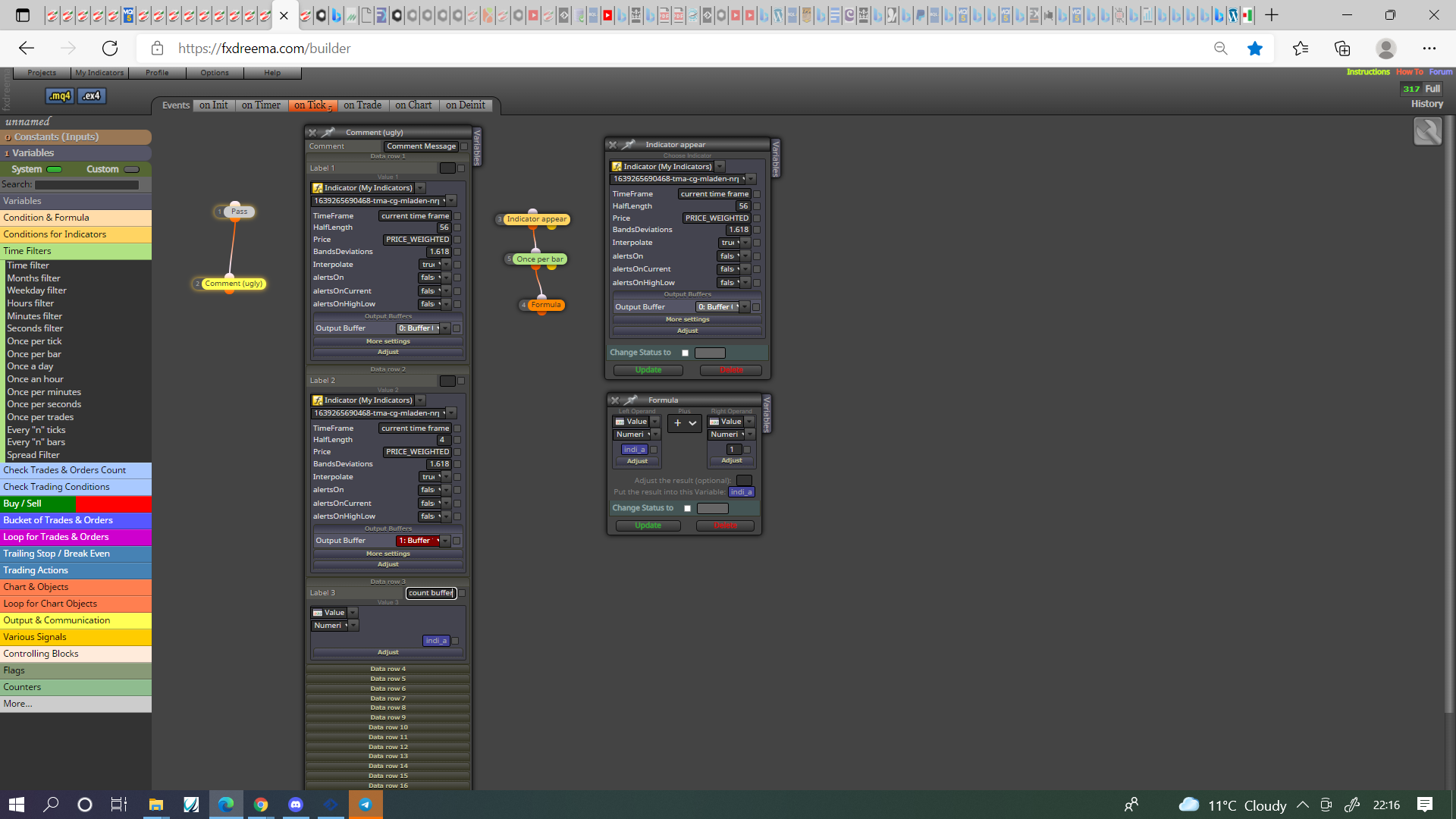
@sauce That variable is just what I named a variable, it could be anything, start by putting every buffer into a comment and that have constantly changing numbers (like a MA for example) have the price values you can use, once you know this create a variable for every other buffer and count, put this variable into a comment so when each object appears you will know which variable buffer to use to make EA do something.
@fxdreema Very true, but it is quite obvious for anyone when they open to use.
@andrewfrank You have to decide, a condition block so you only get an alert when conditions match, once per block so every so often you get an alert, there are many options the choice is what suites you.
@andrewfrank You need to use a combination of variables and information, use text (code input) and add like this- Symbol() in a variable will put the current asset into the variable, any text in " " can be added, so for example "TRADED PAIR "+variable 1+" "+variable 2 in text code will put this info into your notification, probably, "TRADED PAIR "+Symbol()+" "+variable 1+" "+variable 2 would also work
@sauce Not sure how I got confused as this indicator seems to have buffers in it, in this picture you'll see how to view and count objects appearing, use a combonation of this till you know what each buffer represents.