@anselem Your welcome

Open the data window on your terminal, when you move your mouse over something the value in the data window will change, in the code variable = what ever name you have you have named your variable, put in in your project, in the data window you have the used buffers starting at 0 (not the ones used for other stuff), put each variable in a comment block to check if match data window. Start a new question and put the shared link, @jstap me so I get the notification, put the issues you are having and I'll see what I can do.
@mmayes313 That is not the shared link, is that the indicator? If so all is in FX so that would be unnecessary, if you use the shared link then what you are wanting FX to do an be assessed.
@fxdreema I have never seen this using paypal myself, but Have seen this complaint a few times from others.
@sauce This indicator badly repaints, just watch on backrest and you will see the red x appear then disappear, before it finally stays many candles later, you could pay someone to re code but you will find better for free elsewhere.
In the data window is buffers that can be used (these are different to the normal buffers), icustom code would get you this information if still interested.
iCustom(
string symbol, // symbol
int timeframe, // timeframe
string name, // path/name of the custom indicator compiled program
... // custom indicator input parameters (if necessary)
int mode, // line index
int shift // shift
);
You would put it in a custom code block, something like this:
VARIABLE=iCustom(NULL,0,"1639265690468-tma-cg-mladen-nrp",4,0);
@anselem Manually opened trades are magic number 0, set this in the project settings and don't use group numbers. This is how to get an EA closing manually placed, and by using a group in other blocks placing EA trads that are not closed with manual.
@haikelIf The buffers update by themselves, in the link is a project that will count 1 every time a dot appears, run on back test so you can see how it works.
@fxdreema I see, don't know if it matters that much how the objective is achieved although what numbers are doing in the back ground probably don't matter, maybe if the option was just there for blocks that have a visual out put all needed would be achieved, if in the comment block you had a max digits option then all needed would be sorted. Good to know needed improvements are being done.
@talalkhan On mt4 I would use trailing stop (each trade).
@talalkhan A standard condition block if equity => set amount start trail block.
@talalkhan Starting trail is easy, when equity = your amount start tail, as for using % of equity I do not know, I have only use set pips to trail.
@nowywest Use a formula block so every time you press - or + it changes the variable. Use a draw text block (probably on on tick) with a code in the text (code input), something like this: "LOT SIZE "+LOT -LOT being the variable you've created.
@tipsywisdom You can have blue blocks above pink, generally it is better not to but if being used as a switch you can.
@diane1313 Put your bool conditions into a comment block so you can see if they work, you could also change the status so you get the information of what the last block is that passed.
@talalkhan You need to decide the equity level that and use this to start the trail, tou could record the balance as trade activates then check equity to start trail, use a bool condition and put the settings in the trail block that suites.
@talalkhan This looks like it should work, put stop trade into a comment so you can visually see if it;s working, if not you can see what process isn't working.
@joaobr To set a trailing stop that follows the SAR and waits for price to be far enough away do this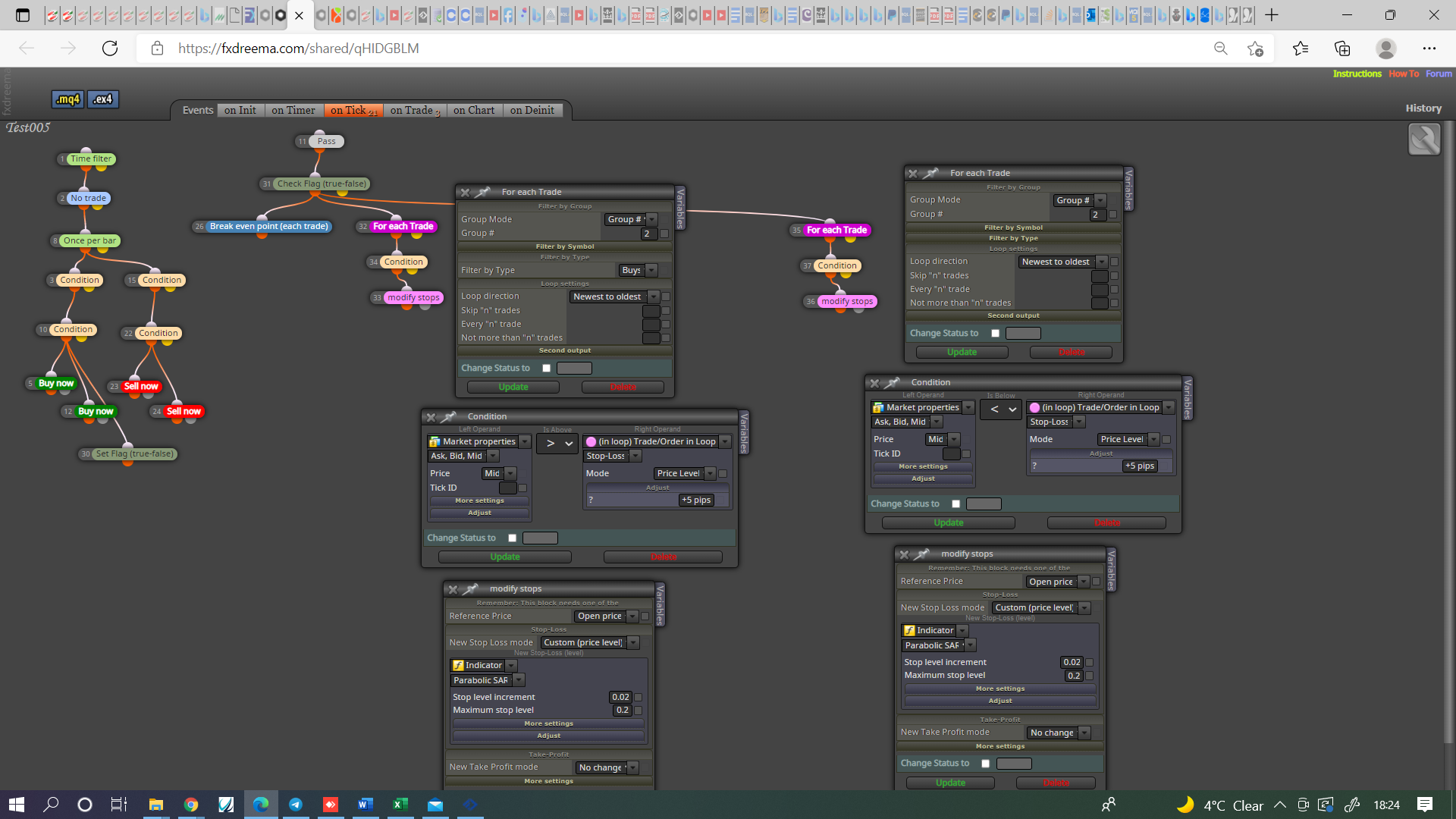
Use the on chart tab to swich on trail and reset every time a trade is placed
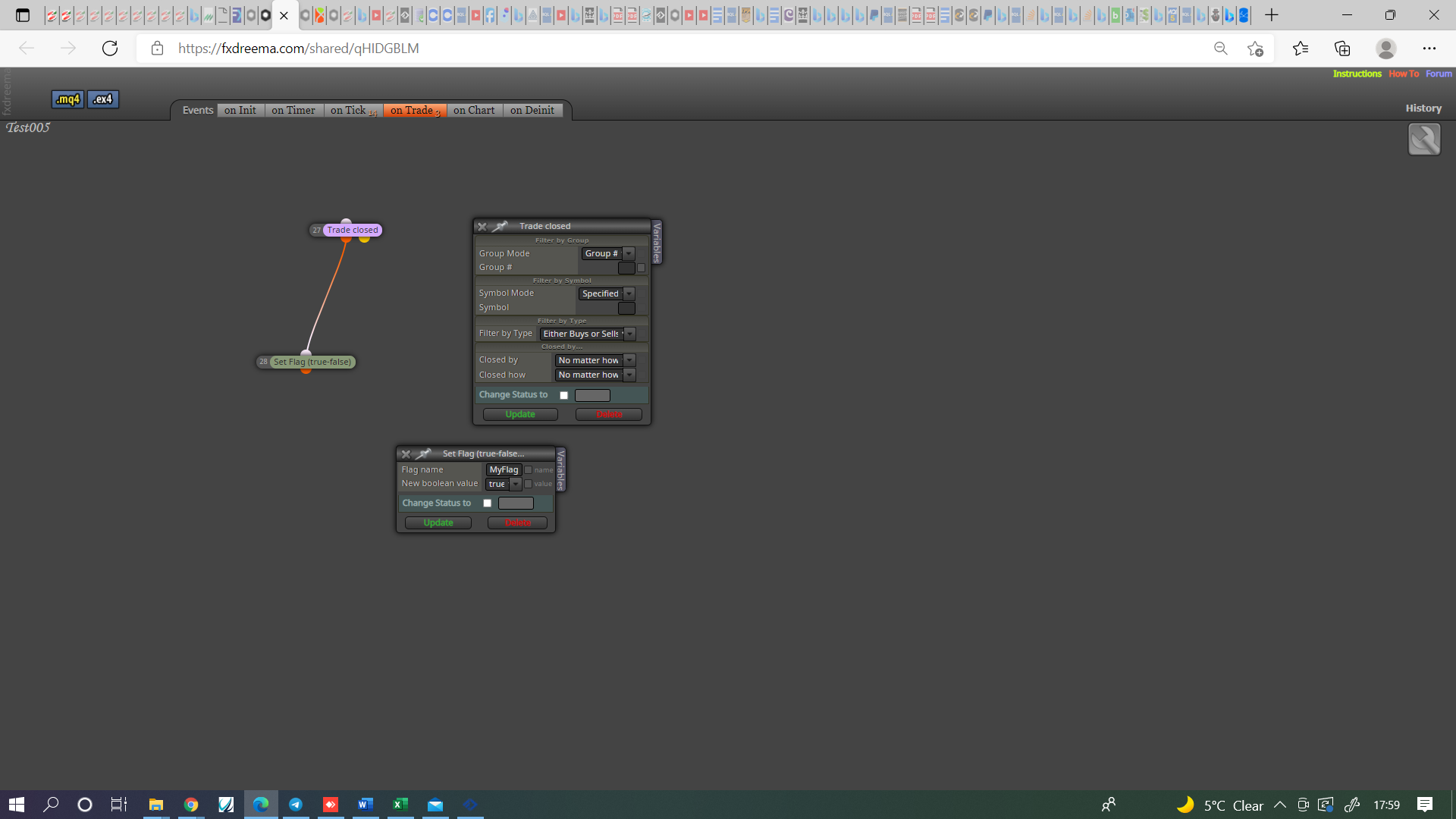
This is not completely finished examples but their should be enough for you to do all.
@talalkhan There is a block called check profit (period of time) or take your balance daily and save in variable, add day win and save in variable, subtract day loss and save in variable, use condition block to check if equity = either variable, close all and stop trading by something like a flag.
As for start trail use a condition block with the number used to start trail, in the on tick tab use a purple trade closed block and stop trading when conditions match.
Reset all in the next day.
@ambrogio @oskars, This is interesting but for FX doesn't change any thing. You need to set conditions to achieve this, if price reaches X.XXX place a pending buy limit below, opposite for sells.
@crazycnw Then it should work, if you put a shared link here then problems can be seen