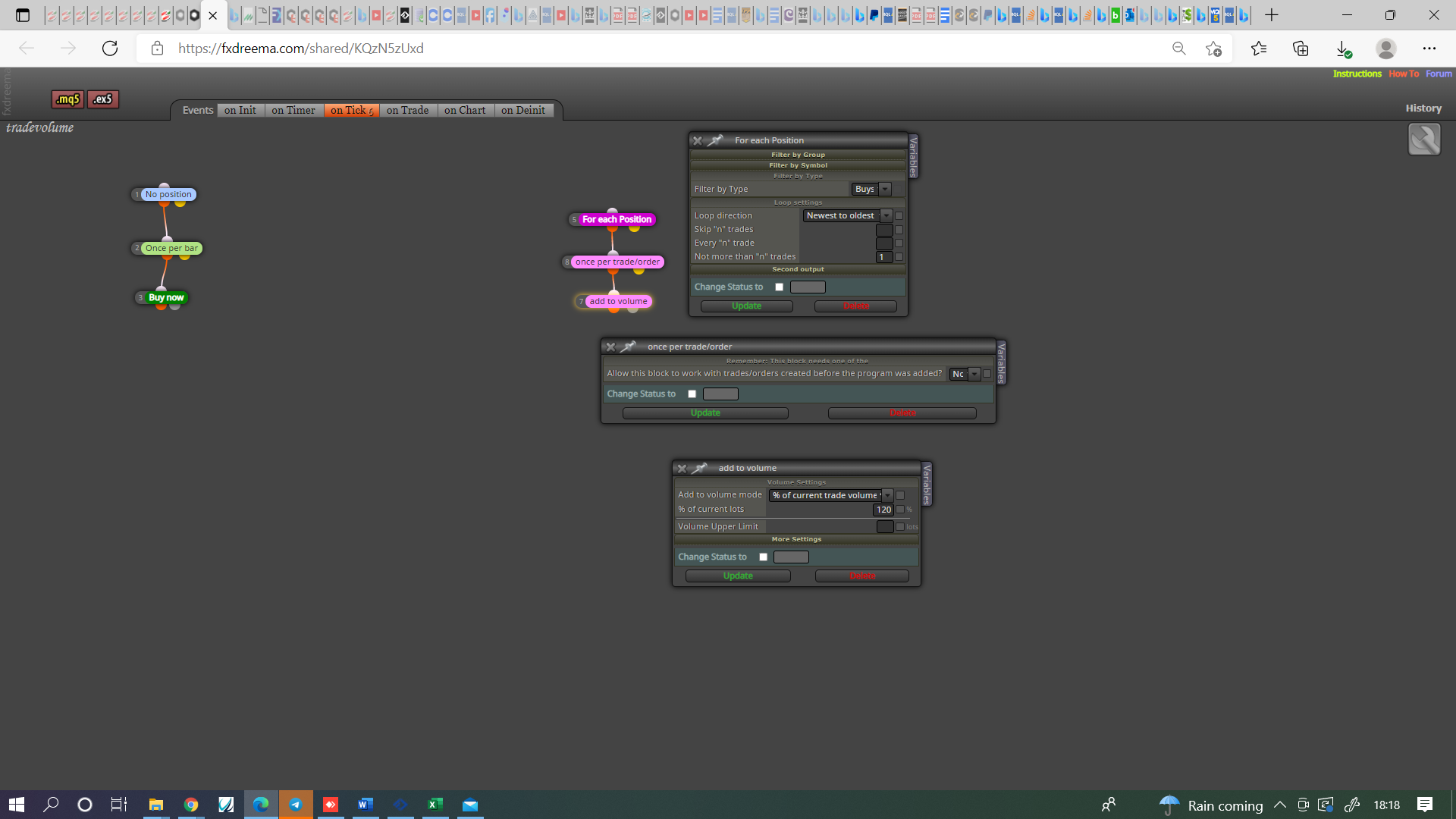
@oskars To me there is no stop-limit order, broker can only offer 1 type, if it's both then you would rarely loose a trade, thinking price will reverse or continue is how you win or loose money with a pending.

@oskars To me there is no stop-limit order, broker can only offer 1 type, if it's both then you would rarely loose a trade, thinking price will reverse or continue is how you win or loose money with a pending.
@bagheria Somewhere in your project you have a string constant ticked, If you look through your blocks you'll see 2 options ticked.
@crazycnw I said try with a specific key, are you trying this on live?
@crazycnw Just thought, on chart doesn't work with backtest so will have to be tested on live/demo.
@crazycnw Every key has it's own code, get the code for the key you want to use, have just looked at your project I do not know if any key works (I would assume it does).
@diane1313 I strip the EA back to single blocks so I can test on backtest, then when I know each block is doing as I like I put it all together.
@crazycnw I never have but I know people have and that it works, search google for the codes and set up a simple EA so on back test you can see it working.
@diane1313 You could just use candle open:
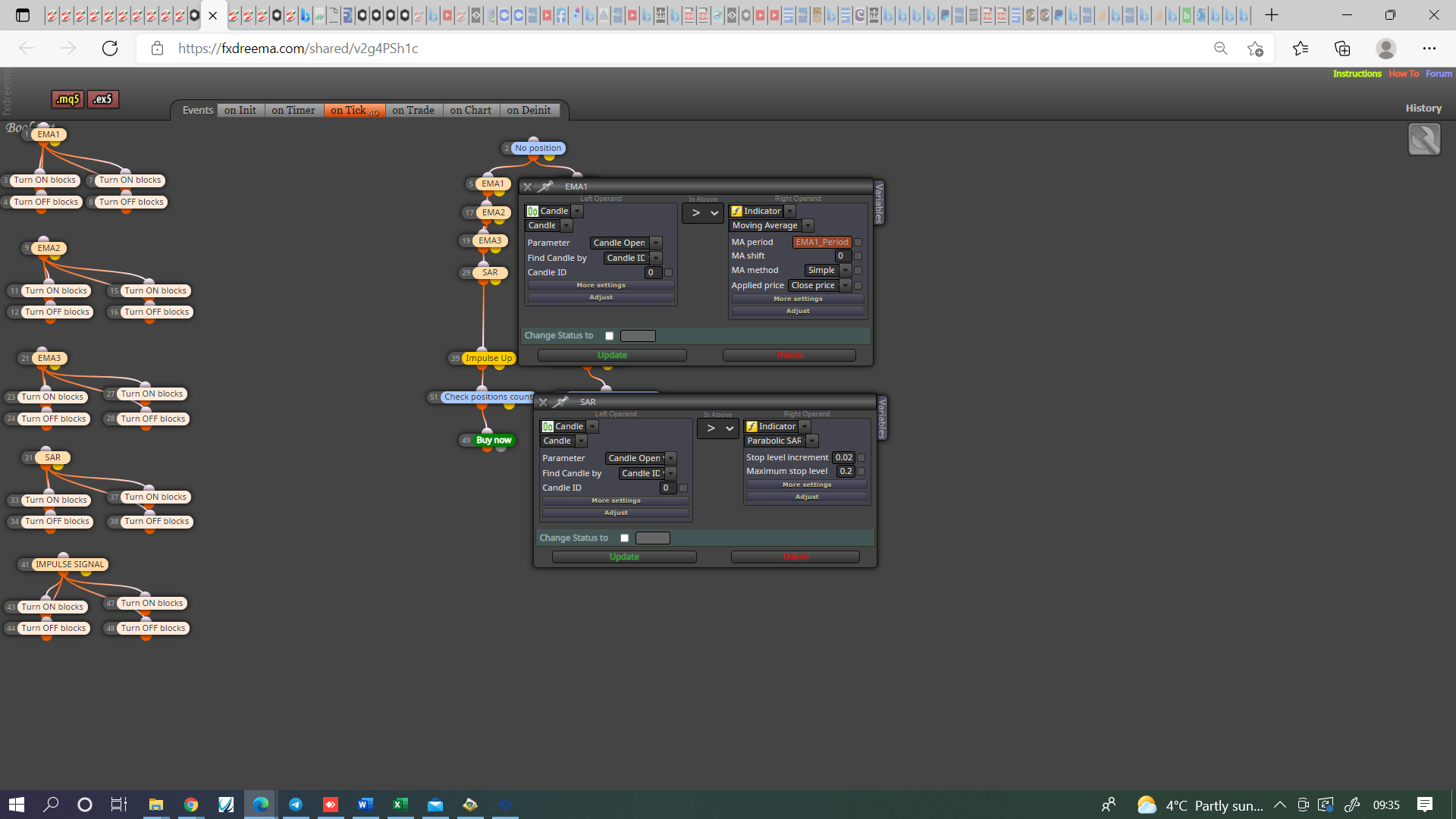
@diane1313 Your bool condition's are correct but as a candle closes on 0 it becomes candle 1.
@hunters5882 The trades are being placed by the blocks on the left.
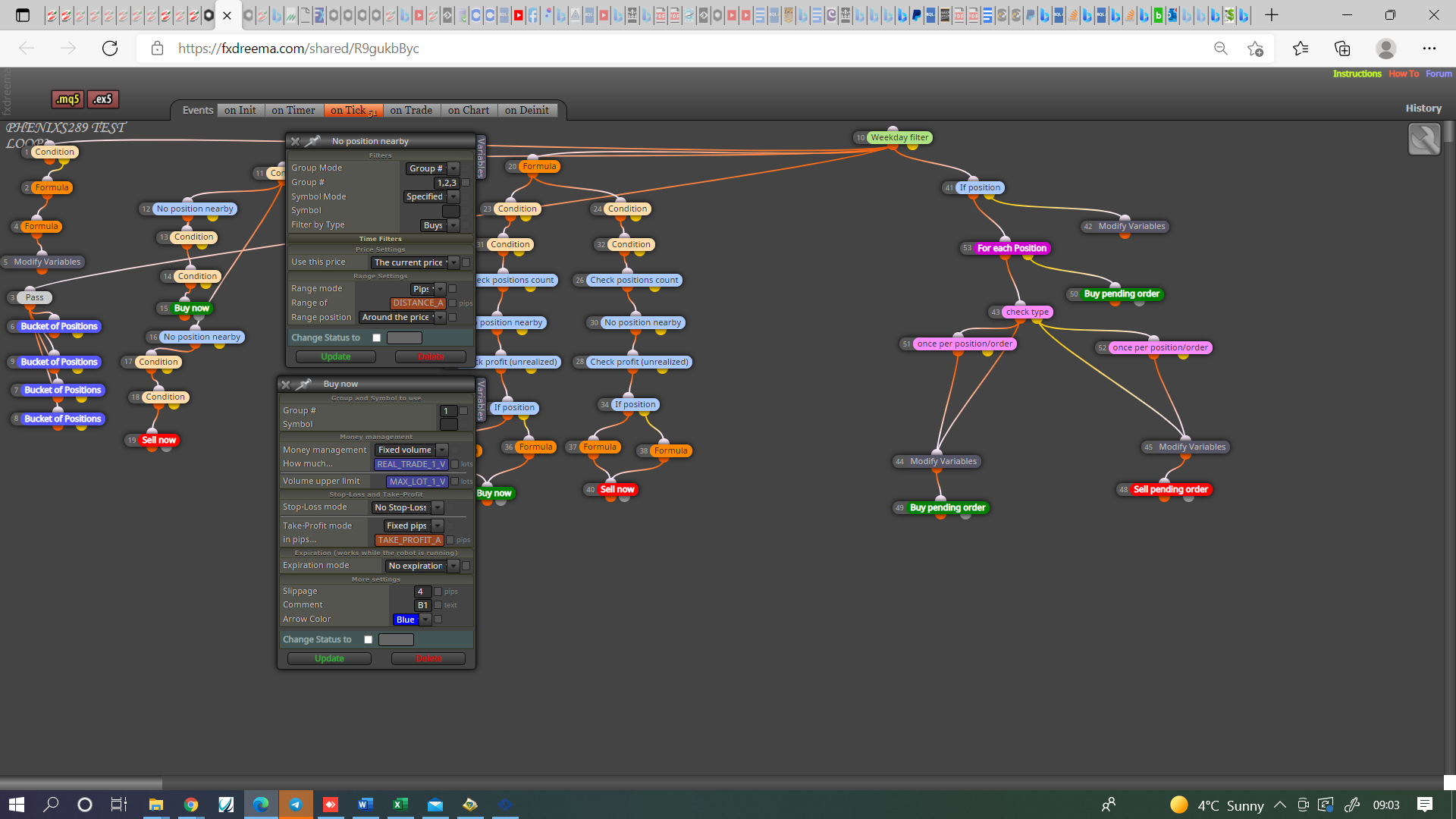
@basharshatat If the magic number is set to 0 then all trades opened either by you on the terminal or by the ea will be closed when conditions are met, if closing trades when a profit amount is reached use the close profitable trades block.
@rubenroffe It is difficult to work out what you mean from a single line, buffers will only work if there are already in the indicators code.
If you put pictures or a shared link, answers can be given
@oskars The buy and sell pending order blocks will place a stop order when you want price to keep going once the trade triggers, and a limit order if you want price to reverse once trade triggerd.
@hunters5882 If you put a shared link on here then what each block is doing can be checked, I would create a sell/buy tree with a no position block at top, the pink blocks I would have in a separate tree. for the pink blocks to work a trade/order needs to be running.
@andrewfrank The normalizedouble is working correctly,
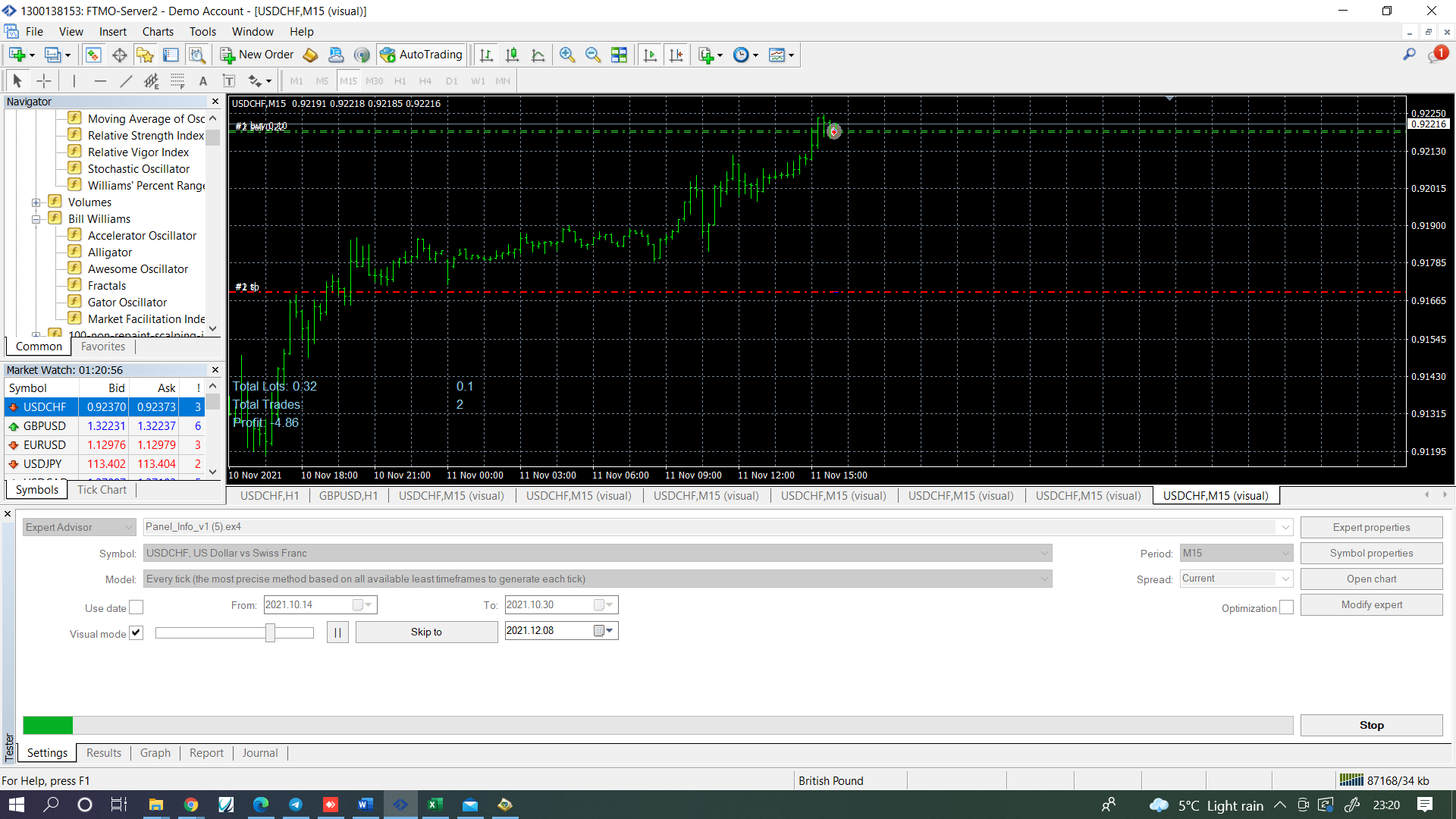
blocks 168, 169 & 171 are the ones creating the other numbers https://fxdreema.com/shared/DTi8JUZjd
I have created a buy and sell for temporary just so on back test results can be seen. You don't need to create a new object each bar, just redraw so numbers change, create variables for the numbers with too many digits and normalize. Everything should work then.
@fxdreema Can you add NormalizeDouble to blocks that display stuff like profit. To me 2 numbers past the decimal place is all I ever need, and numbers something like 100.2356189876528 are too long and give un-relevent information.
@andrewfrank Try this, not sure if will work but the NormalizeDouble normally does, use the new variable for the comment.. If not maybe @fxdreema can help.
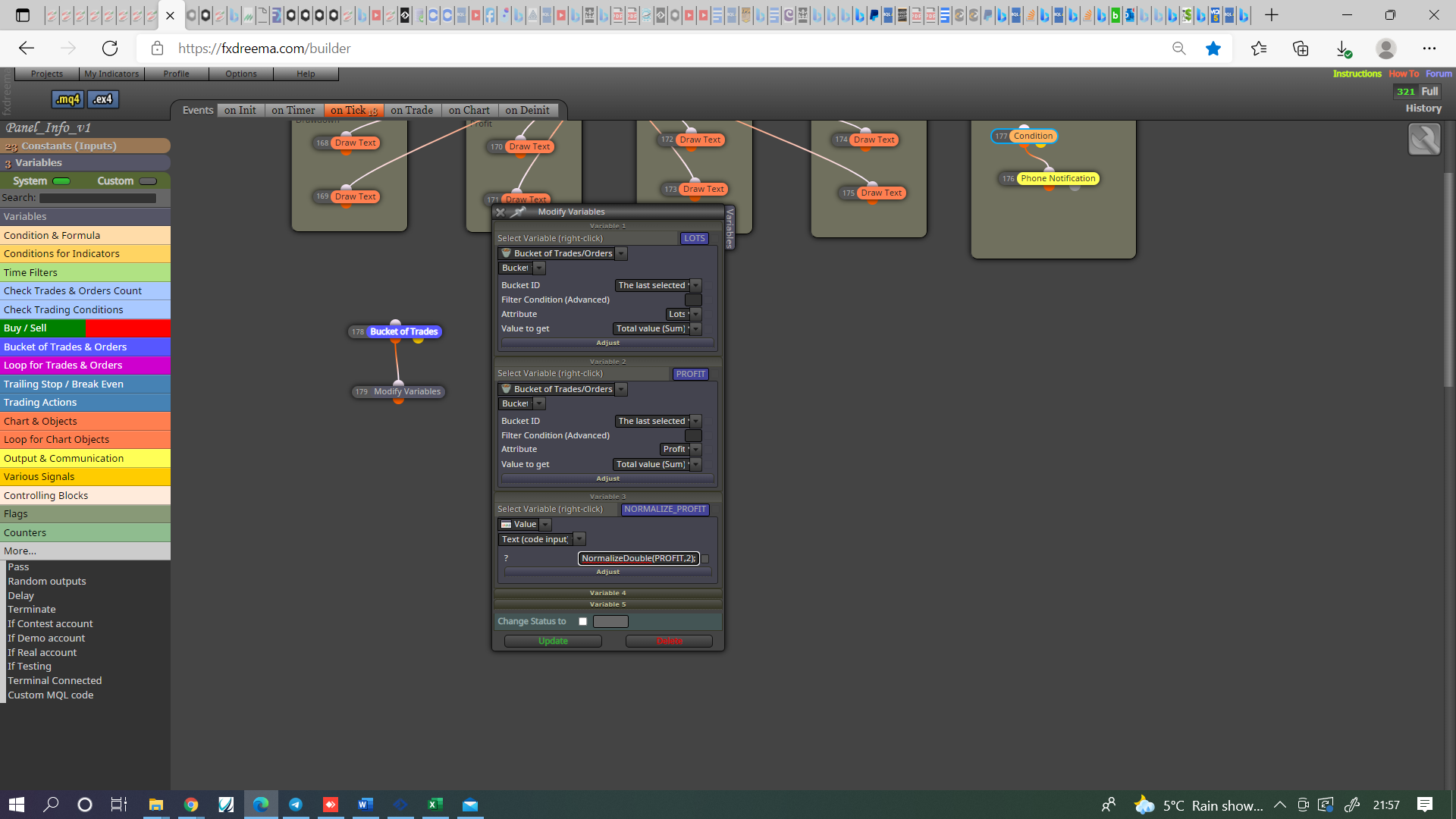
@andrewfrank Like your first picture.
@basharshatat Magic number 0 is manually opened, in many blocks you can select manually opened:
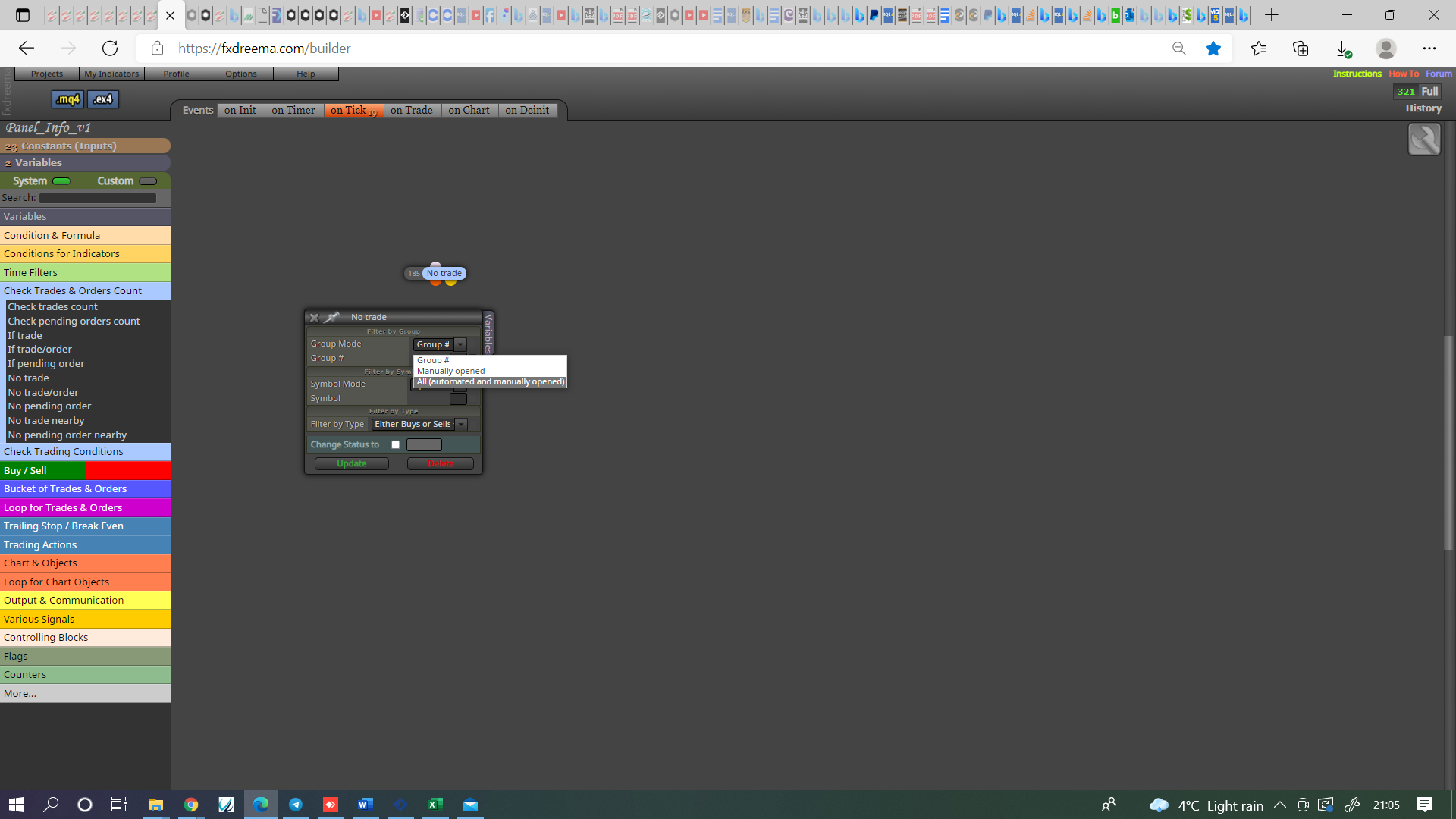
@ontradingx Try this in a seperate tree: