for this use Market properties: Lowest price (candles period) .. and set here your period of candles, which can be start 1, end 3
M
Posts made by miro1360
-
RE: Set stop-loss to be the lowest between a range of candlesposted in Questions & Answers
-
RE: Binary Options Expiryposted in Questions & Answers
every block where is option "timeframe" set this timeframe M5
-
RE: New compilation error.posted in Questions & Answers
I think this is error, wait little time for repair ...
-
RE: example: For each tradeposted in Tutorials by Users
maybe add to lot size without close can be done in MT5 (I have not study how, you can
 ), but in MT4 it is not possible (not possible to modify the lot size of trades for original open price or recalculated open price), I mean when your trade is opened like 1.0 lot, you can not modify lot size to 1.5 into one trade
but here in fxdreema you can do something as opening new trade with the same SL TP like parent one using "add to volume" (currently loaded using For each trade block) ...
partially closing is working as you asked, here you can view some example to your question:
https://fxdreema.com/shared/5XS8SPvIbor here you can work with ticket number ...
https://fxdreema.com/shared/Y90zEfaFb
there are many ways how to work with these numbers, you need try it ...instead of "add to volume" you can close trade, load its lot size into variable and add next lot size to this variable: closed was 1.0, you will add 0.5, so result save into variable like 1.0+0.5=1.5 and this 1.5 open as new trade on current price ... it is maybe not as you expected but can working with few compromises (like open on current price)
...
rest what you asked for Area xy, it are only areas for separating examples, each area is each example ... and "area in area" - it is because of comment - I used it only for commenting main Area ... -
RE: Question regarding the "adjust" fieldposted in Questions & Answers
yes you can ... you can use some words like pips to make this
+10pips
this adds for reference value +10pips, which is for EURUSD +0.0010 or for GBPJPY +0.1
... I dont know all this words, only this pips, maybe there are more ...
you can use some functions as well .... like *(NormalizeDouble(yourVariable,0)) ... or *(MathAbs(yourVariable)) ....do some research and try most of what you are asking, it would be probably faster reply for you

-
RE: Question regarding the "adjust" fieldposted in Questions & Answers
yes you can this, without quotes ...
-
RE: Moving Average questionposted in Questions & Answers
I am not sure what exactly you need because it is question if you exactly know what you need
... but can try this: https://fxdreema.com/shared/BWG3f4z1d ... 2 versions, you can run one or other with turn blocks on/off ... version 2 are blocks turned off
but I am not sure if it is working for you right because I have not tried ... time pressure
it was for this ... https://www.mql5.com/en/articles/1516
also change other parameters like MA period or TP SL for trades etcthis was my reply from PM
... -
example: For each tradeposted in Tutorials by Users
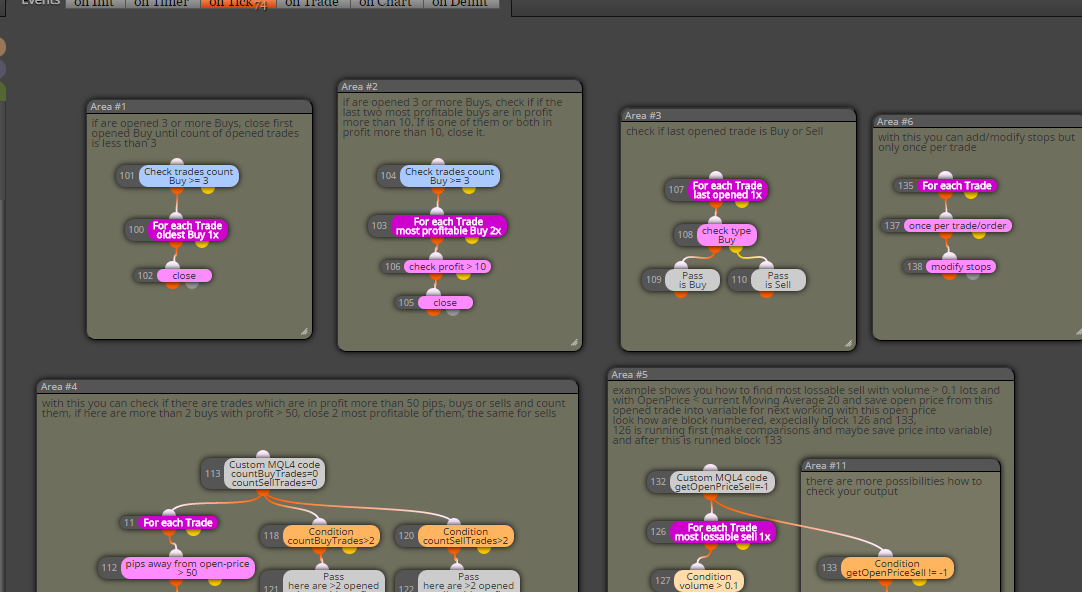
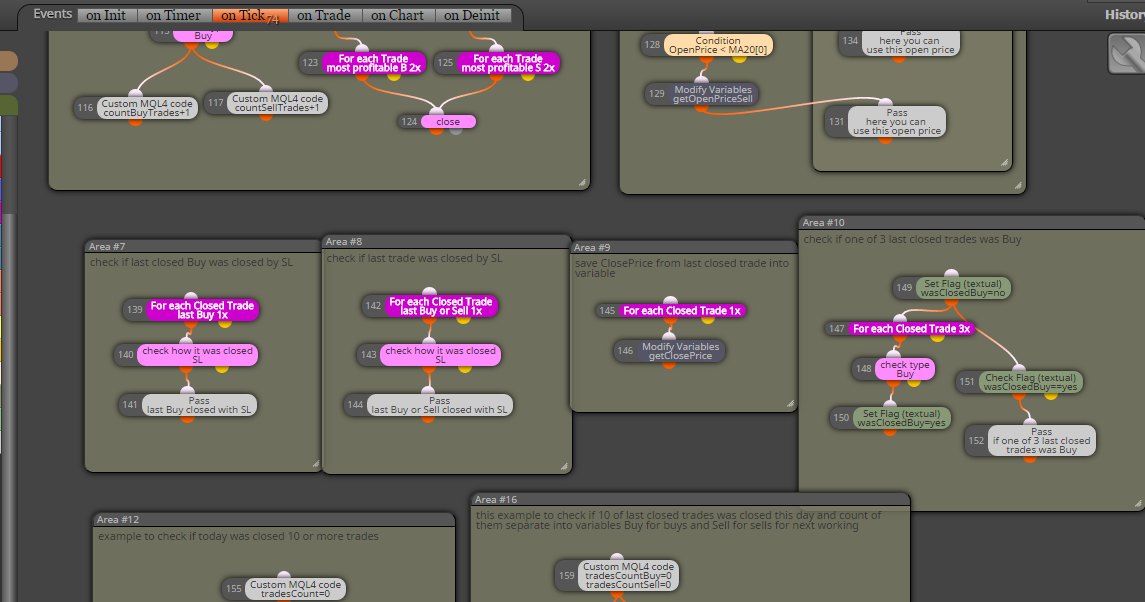
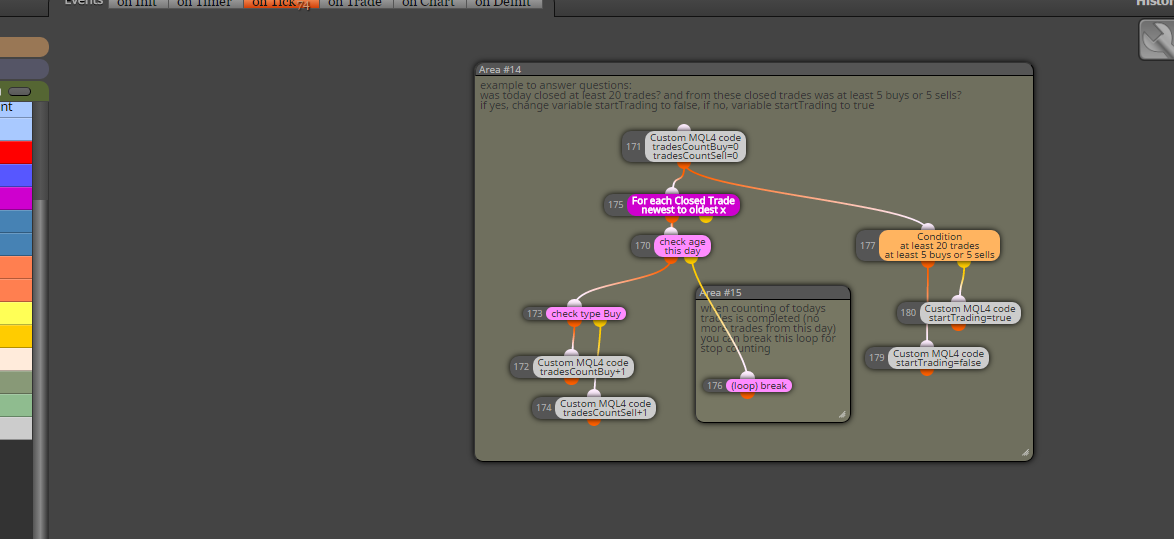
Here I provide you few examples how to work with blocks For each Trade, or For each Closed Trade, you can also work with blocks for pendings ...
https://fxdreema.com/shared/FRLmvb2Bb
you can also download mq4 file and import it into your projects to have my provided original:
0_1482090825721_example_loop_trades.mq4maybe something must not working and need some little change, I have not tried this my examples in tester, you can ... and here are other ways how to do this, better or worser, it is up to you and your invested time
have a fun ...
-
RE: IDENTIFY MACD AND RSI DIVERGENCEposted in Questions & Answers
macd divergence is implement in fxdreema, rsi is not directly and for this purpose you need some coding skill or proper indicator with RSI divergence ...
for macd divergence blocks in fxdreema check block section Various Signals -
RE: CREATING A TRADE ACCORDING TO TREND LINEposted in Questions & Answers
I hope you just make fun with your question

...
-
RE: CREATING A TRADE ACCORDING TO TREND LINEposted in Questions & Answers
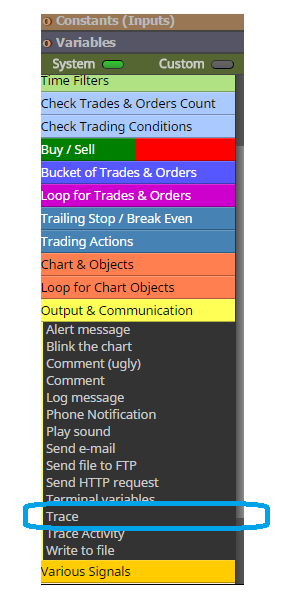
trace it using visual tester and Trace block to see, what happens, that is one of ways how to find whats wrong
-
RE: Moving Average questionposted in Questions & Answers
using "==" in comparing prices, especially MA price and current price, is bad way, base your strategy on ">" or "<" conditions ...
when you will MA direction (if MA rise or fall) you can do this:MA[1] < MA[0] : MA rise on current candle
MA[1] > MA[0] : MA fall on current candlenotice, that current candle is not closed candle and can in any time change direction ... on history of chart you see only closed candles, not behavior from candle 0 ...
this is how you see history of chart, without candle 0:
MA[2] < MA[1] : MA rise on previous candle
MA[2] > MA[1] : MA fall on previous candle -
RE: Help with condition.posted in Questions & Answers
try this:
https://fxdreema.com/shared/EsAZGPzvcmaybe is here some automatic conversion from price fraction to pips, but for me was not working
why this, because if price is for UJ 120.0 and lowest is 119.0 (difference 100pips) it is 120-119=1.0 .. price fraction 1.0=100pips ... and in my example you give into input 1.0 (which mean 100pips)
EU exaple: price is 1.05 ... highest is 1.06 ... for difference fraction 1.06-1.05=0.01 ... fraction 0.01=100pips in EU ... so for those pairs you give into input 0.01 (for EU 540pipís is fraction 0.054, and for JPY 5.4) ... -
RE: CREATING A TRADE ACCORDING TO TREND LINEposted in Questions & Answers
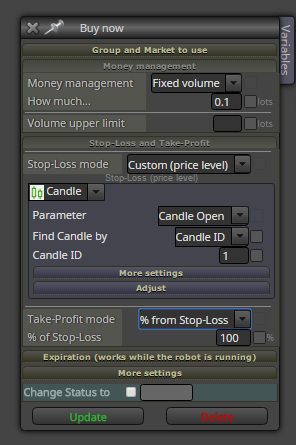
@YOSEF
you can do this in block settings, play little with it and test it for results...
-
RE: CREATING A TRADE ACCORDING TO TREND LINEposted in Questions & Answers
you forget give name for your "watta" in block settings, and you need also parameter:
This block can create 1 object per bar: set to NO
...
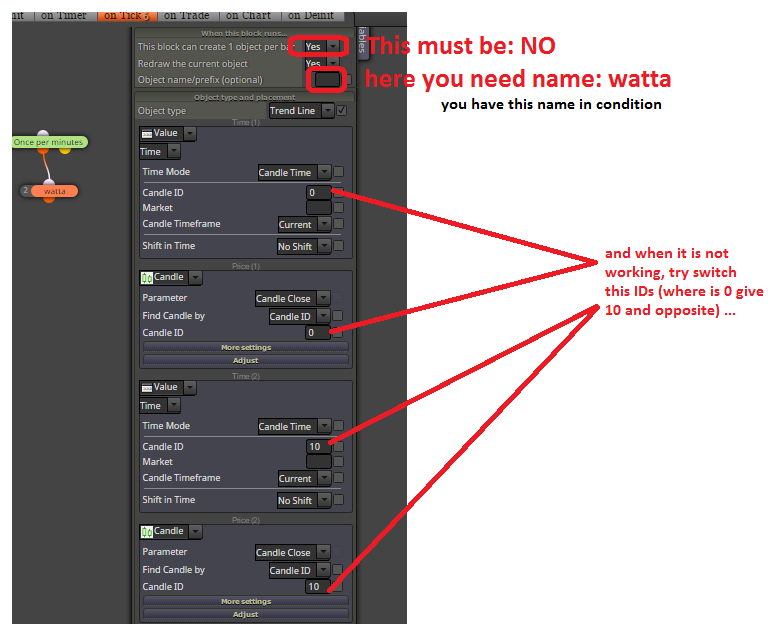
I tried it sometime in past and it was working for me
-
RE: CREATING A TRADE ACCORDING TO TREND LINEposted in Questions & Answers
@YOSEF ... you can change in conditions to candle ID 2 to 1 and 1 to 0 ...
@haliloo ... try change (switch) Time coordinates in creating trendline and also create this trendline with ray -
RE: CREATING A TRADE ACCORDING TO TREND LINEposted in Questions & Answers
hi, you can start with this and step after step add&try your next conditions:
https://fxdreema.com/forum/topic/4233/example-trendline-ea -
example: Trendline EAposted in Tutorials by Users
Here I show you how to work with trendline.
Use this example only with Demo account and learn perfectly how it is working. I am not responsible for your money losses.
https://fxdreema.com/shared/Q13po8uvc
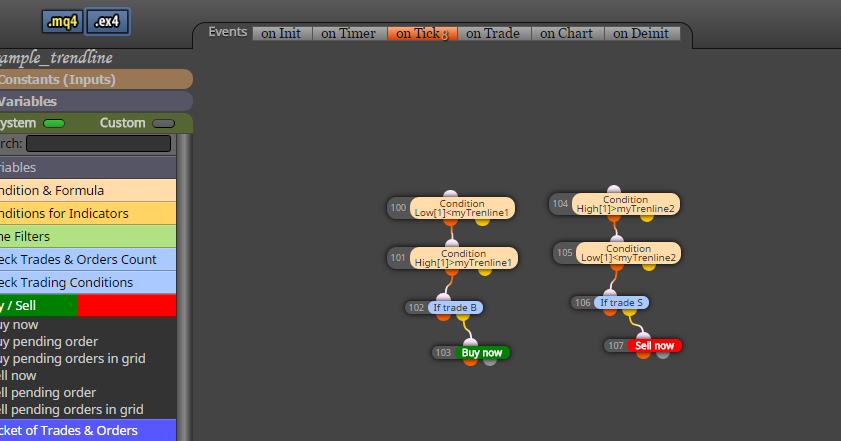
In example I will open trade on 4 possible situations:

you need create trendlines manually (for this example, but you can do this also automatically with EA using buttons, check my previous tutorial how to work with buttons)
in EA give name for this trendline in condition, and also the same name in chart for your trendline:
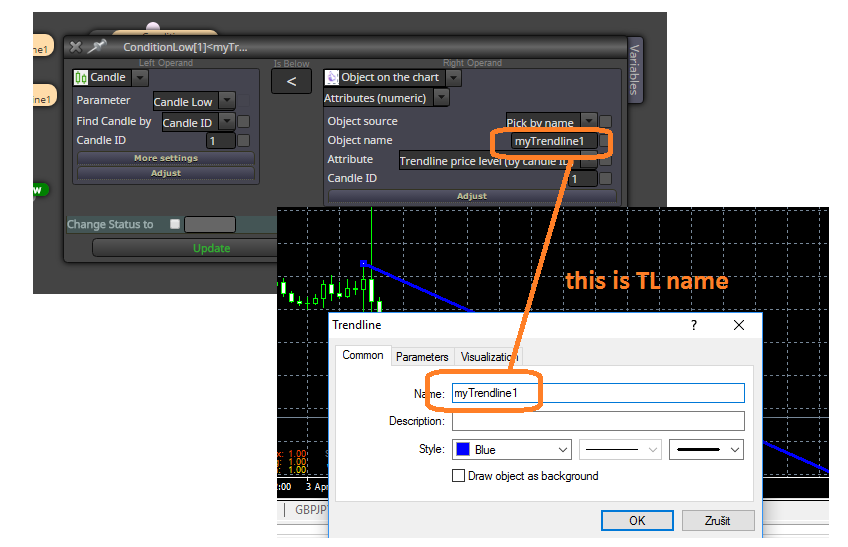
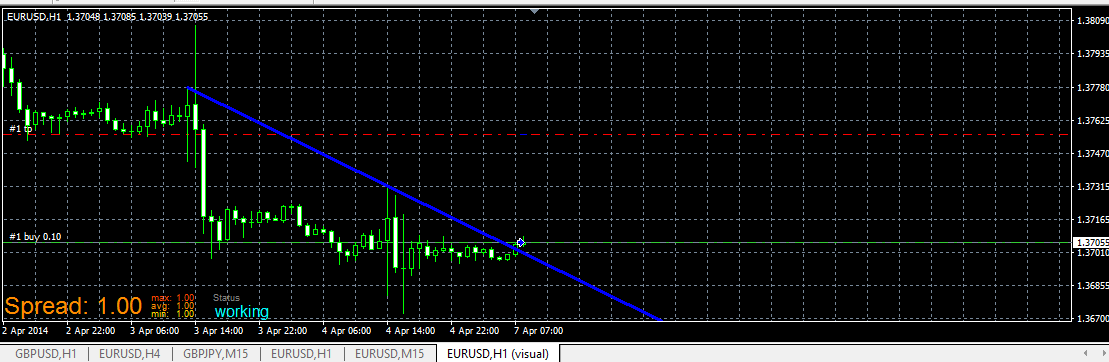
and this is live example:
dont forget, right name for trendline in chart:
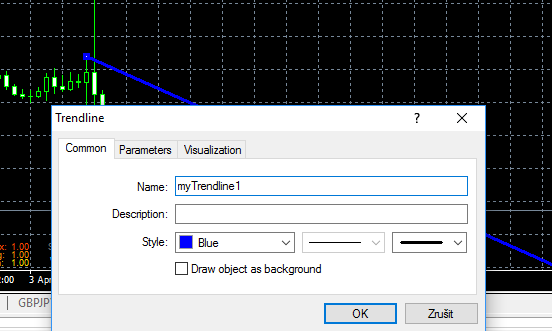
trade when price break your TL from bellow above (buy based on conditions for myTrendline1):
or Sell for myTrendline2:
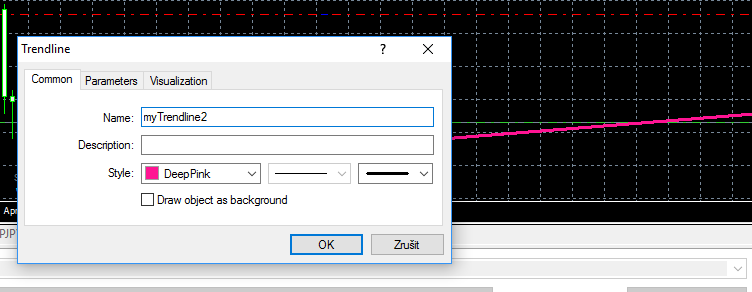
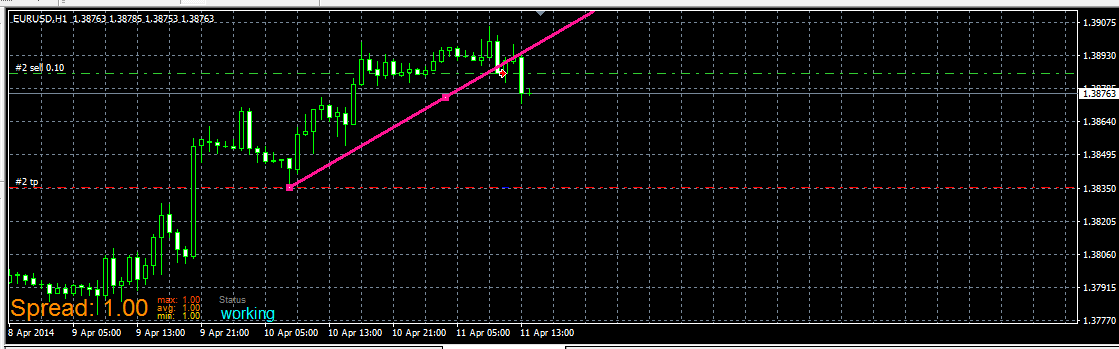
and when you place myTrendline2 (for Sell trade) above price, you wait for Sell when it break it from bellow, like this:
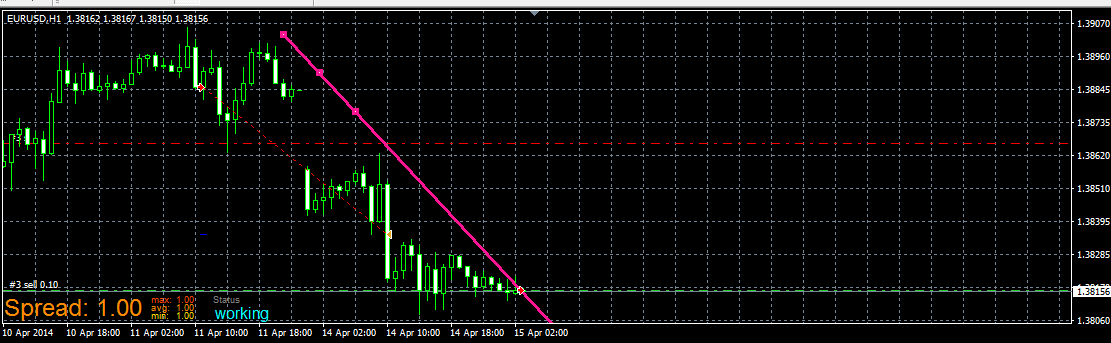
you can improve this example by other things, like delete TL after trade is opened (to prevent open another trades when your first is closed) or other things ...
have a fun
-
RE: Need Help with an EAposted in Questions & Answers
if you need opposite conditions, just reverse blocks between buy and sells or change parameters
-
RE: Need Help with an EAposted in Questions & Answers
psar is value --- dot on the chart is value and it can be above or bellow current price
compare this psar value with current price, like this:
current price > PSAR (buy condition? because PSAR is bellow price)
current price < PSAR (sell condition? because PSAR is above price)with stochastic it can be like this:
https://fxdreema.com/shared/0XVVRqU8ddont forget trying and learning stuffs with that way - try and learn