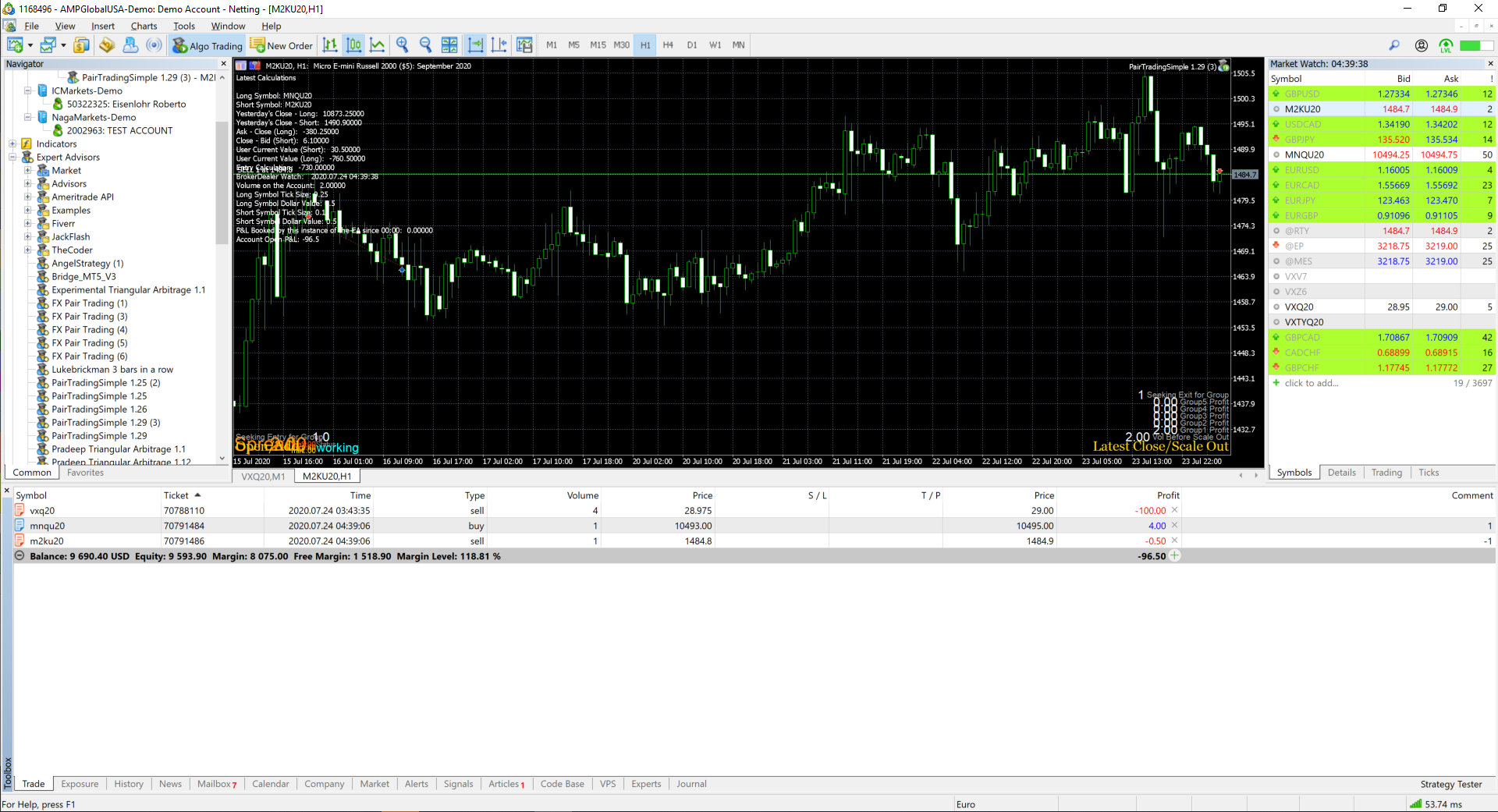
I have also attempted to use FX Dreema from another browser, and still, the same error.
Q
Posts made by QuantEngineer
-
RE: FX Dreema Locked out now. Is it only my account or everyone else's accounts?posted in Bug Reports
-
RE: FX Dreema Locked out now. Is it only my account or everyone else's accounts?posted in Bug Reports
Update:
I have tried to logoff and login, and it is still frozen
-
RE: FX Dreema Locked out now. Is it only my account or everyone else's accounts?posted in Bug Reports
I have created a 53 seconds video showing exactly what is happening
-
FX Dreema Locked out now. Is it only my account or everyone else's accounts?posted in Bug Reports
When I try to load any of my Trading Robots, by just browsing to the link https://fxdreema.com/builder , FX Dreema is returning with "TypeError : Cannot use 'in' operator to search for 'active' in _3175"
It locked me out of the system.
See screenshot attached,
-
RE: 'iCustom' - wrong parameters countposted in Questions & Answers
Best Solution for this, so far is to Download the Source Code, mq5 file, use the replace all command (Cntrl + h) and replace all ", ," by "," and compile from the original MQL5 Editor then.
This has resolved for me... although not very practical.
-
Uplpoading #resources for the compilerposted in Questions & Answers
Is there any chances of uploading bmp files to fxdreema, to be used as #resources at compilation time ?
-
RE: How to include JAson.mqh library in FxDreema Studio and make it workposted in Questions & Answers
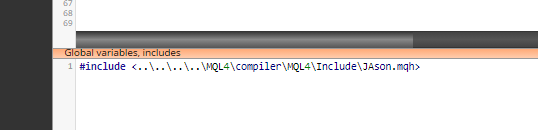
Seems like the browser removed my backslashes... See the screenshot with the right code.
-
How to include JAson.mqh library in FxDreema Studio and make it workposted in Questions & Answers
The issue why it is not compiling is because the compiler doesn't have the JAson.mqh file on the MQL5 folder.
So, instead of having a line like this:
#include <JAson.mqh>You can replace by this:
#include <........\MQL4\compiler\MQL4\Include\JAson.mqh>And this will make the compiler reach the file in the right path inside FXDreema's Folders and it will compile files correctly with JAson.mqh library, saving us from having to compile codes externally.
-
RE: OnTrade Tab function is unstableposted in Bug Reports
is there some sort of special way to report a bug on fxdreema engine or just posting here is enough ?
-
RE: Post trades i takeposted in General Discussions
You can get the Discord API documentation to see how to use their GET and POST methods, then use the MQL4/MQL5 native function WebRequest() to create POST or GET method, and interact with the API with this functions on a Custom MQL function block.
-
RE: OnTrade Tab function is unstableposted in Bug Reports
I get it !

This is why I brought this to the attention of FX dreema, to have a chance to make it work.
Is there a workaround, in case I just want to show a log message, every time the on trade function is called ?
-
RE: OnTrade Tab function is unstableposted in Bug Reports
That is why I did the SIMPLEST version, sent on the top of this thread, with nothing to go wrong... just a log message.... and it only works sometimes... is unstable
-
RE: OnTrade Tab function is unstableposted in Bug Reports
I did use the Position Created, same result.... only works some times.... here is the actual project i was working on, when I noticed the instability.... https://fxdreema.com/shared/Wb5PQFLW
-
RE: OnTrade Tab function is unstableposted in Bug Reports
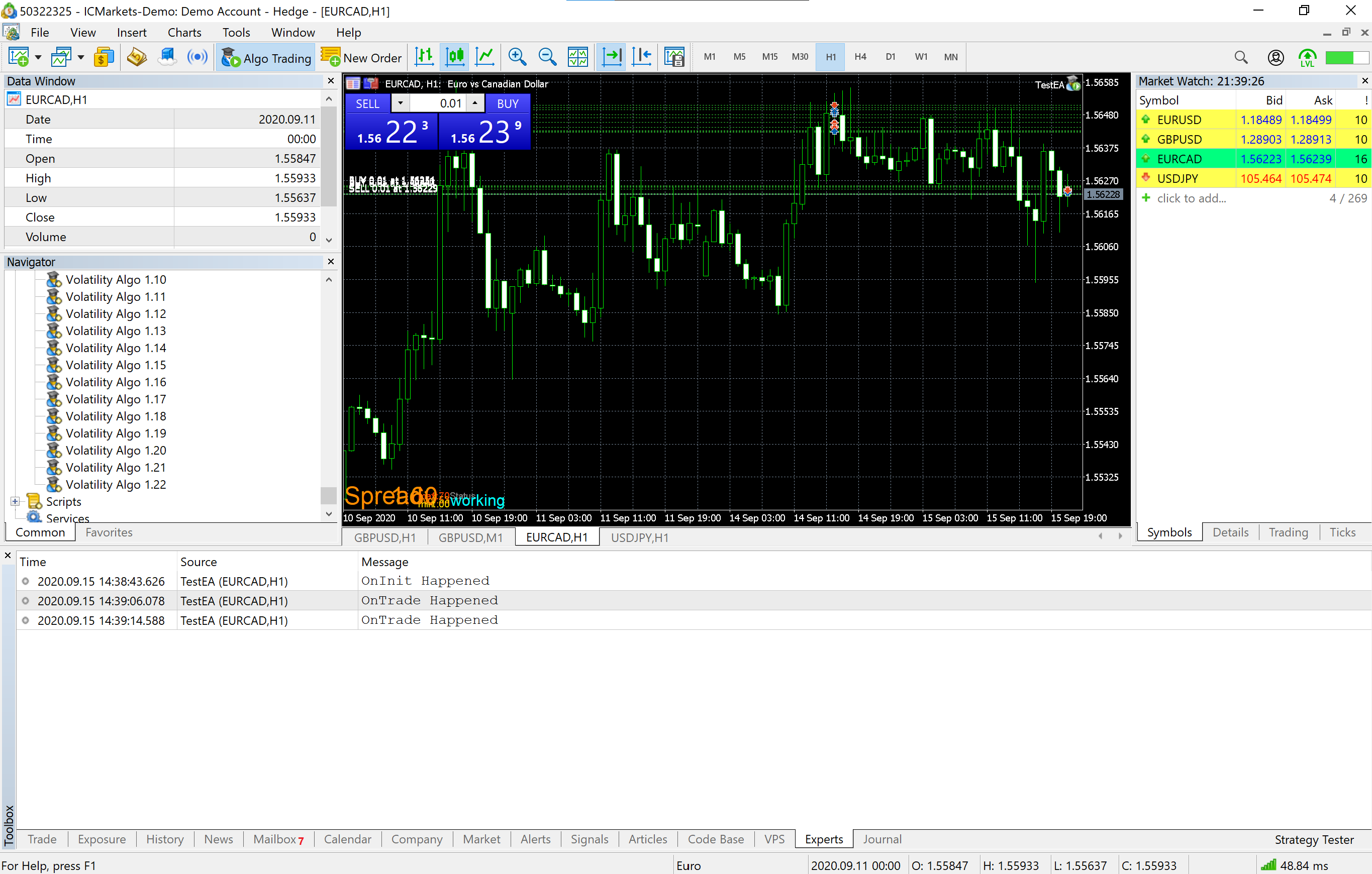
Here is a screenshot of the EA activity.... IT prints messages to the log when there is a manual trade, you can see the Experts tab on the bottom of the screen.This screenshot was done right now, and i did about 9 manual trades, the EA only got 2 of them...
-
RE: OnTrade Tab function is unstableposted in Bug Reports
Right, I am trying to use the EA to capture trades from manual trading activity, just like the MQL5 original OnTrade function.
When I attempt to do this, it does capture some manual trades, but for some reason, not all trades are captured.... even if i just do "Manual Buy" on MT5, 5 times, during 1 min, it only captures about 50% of the trades... -
OnTrade Tab function is unstableposted in Bug Reports
I just did the easiest smallest code possible to check on the on trade function, and it is not detecting trades all the time... about 50% of the trades are missed by this code....
https://fxdreema.com/shared/vAqrYmpMcHere is the link to the code, it just places a log message, when OnTrade function is called...
Then I compile it and run on MT5, I start doing trades manually on a demo account and only about half the times, it prints the log message....
I have attempted buying and selling, to try and find a pattern for the error, but could not find any pattern, the log simply doesn't print on every trade.Does someone know of a workaround for this problem ?
-
RE: Comments are Scrambled in some monitorsposted in Bug Reports
I have tried it, did not resolve... Me and my customers are having scrambled images on the Comments...
Any other idea on how to resolve ?
-
RE: Comments are Scrambled in some monitorsposted in Bug Reports
@zackry I will try this ! Thanks for replying !
-
Comments are Scrambled in some monitorsposted in Bug Reports
Letters from Spread display, as well as comments displays are all scrambled, with wrong spacing calculations on my tablet monitor and on my secondary monitor. Only the "Ugly Comment" displays correctly, but still, hard to read for some reason...
I am using a Microsoft Surface Pro.
Is there a way to fix this display issue ?