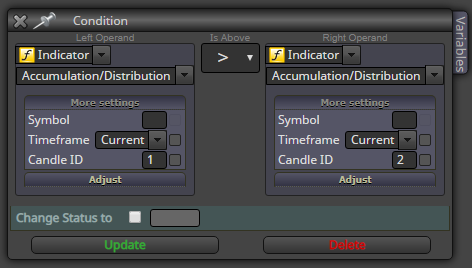
@zackry Yes, that should work, now just test it with visual backtest 

@zackry Yes, that should work, now just test it with visual backtest
https://fxdreema.com/shared/G4kbgalec
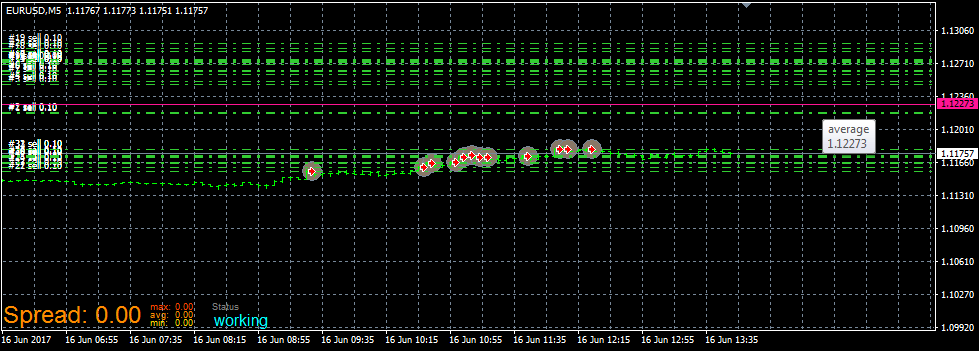
Here's how to find that average. Understanding the use of variables is crucial
@line
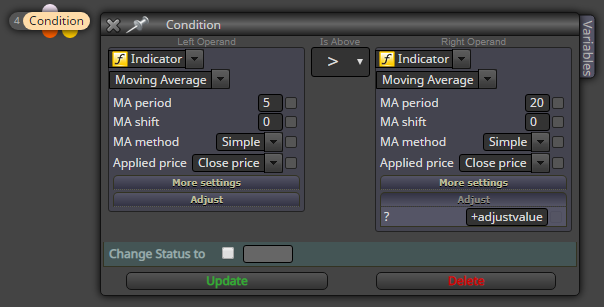
First, create new constant:
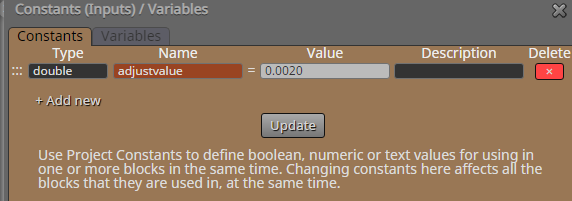
Then use the constant in the adjust field:
@wralyn I'll not bother to go into too much detail, but usually my approach is this:
Sell at upper bollinger bands, macd cross, RSI 70, set limit orders above price...
Also, always filter out quiet periods using ATR or st.dev. You can't make profit if spread makes 20% of the micro-swing.
@wralyn It does open trades for me. Maybe it is your backtest settings - try different timeframes and different model accuracy, and also reset the inputs from expert properties
@zackry Hi. I don't really know much about custom indicators, they are too much hassle for me.
Those values shown as object are probably calculated with some simple algorithm. I would just find out how they are calculated, and just copy that part to my EA. The custom indi is an unnecessary complication
@zackry Ok, lets study the mq4 code:



Hope this gets you started Ctrl+f is useful when browsing the mq4 file
@zackry
You must first declare the constants and variables in your fxdreema project.
The red ones (ATR_TimeFrame, Risk_per_Trade, etc...) goes to your fxdreema constants list
The black ones (ATR_pips, RRR, lots) goes to your fxdreema variables list
@zackry No problem lol
And yes, just set up the constants and parameters, and then copypaste the lines from mq4 to calculate
@zackry Honestly, I don't have a clue - try it 
I guess you can also leave it empty and use the fxdreema block "set current timeframe" instead. Whichever fits your project
@zackry
https://fxdreema.com/shared/UprSbpyKd
I got it printing some values.
We were missing the pip_value calculation, so that was always the default 0 -> EA crashes trying to divide by 0
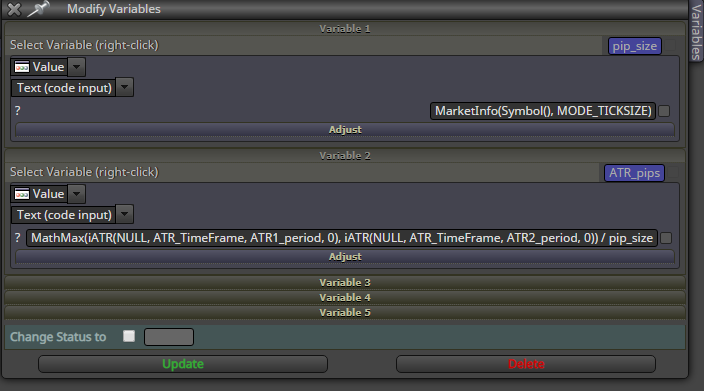
I added the pip_value to the upper "modify variables", so the value is updated before used in the division.
The original EA author uses pip_value and tick_value to differentiate between symbol types. I think the "pip" is not correct scale in our design, try dividing it by 10 at some point...
Btw, you shouldn't use many comment blocks simultaneously, because the text will be overlapped
My approach:
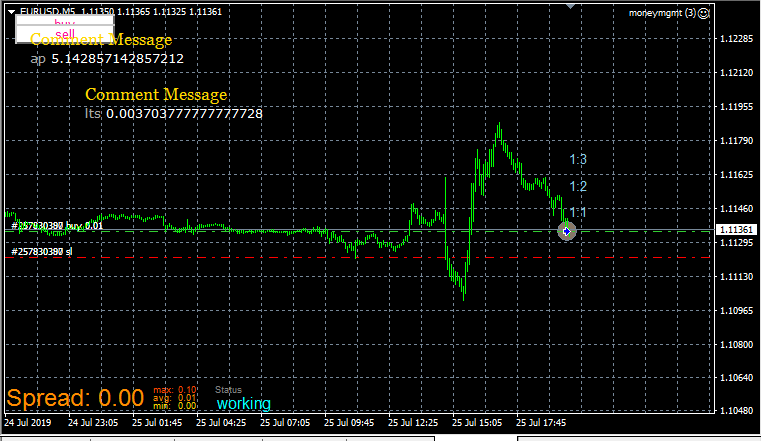
When buying, select the order with loop block, then use OrderOpenPrice()+OrderStopLoss() functions to calculate the 1:1 level.
1:2 level would be OrderOpenPrice()+OrderStopLoss() * 2 and so on...
Bonus: no pip values, universal symbol compatibility
You can just copy-paste these blocks after your buy: https://fxdreema.com/shared/2jZ5X59Qd
I'm getting an error though, not sure if it is just my demo account
It seems OrderStopLoss() is actually a level, not price fraction.
This line calculates the 1:1 level:
OrderOpenPrice()+(OrderOpenPrice()-OrderStopLoss())*1
1:2 level:
OrderOpenPrice()+(OrderOpenPrice()-OrderStopLoss())*2
Now it works with the text object. I don't really know how the price label works.
@keshb96
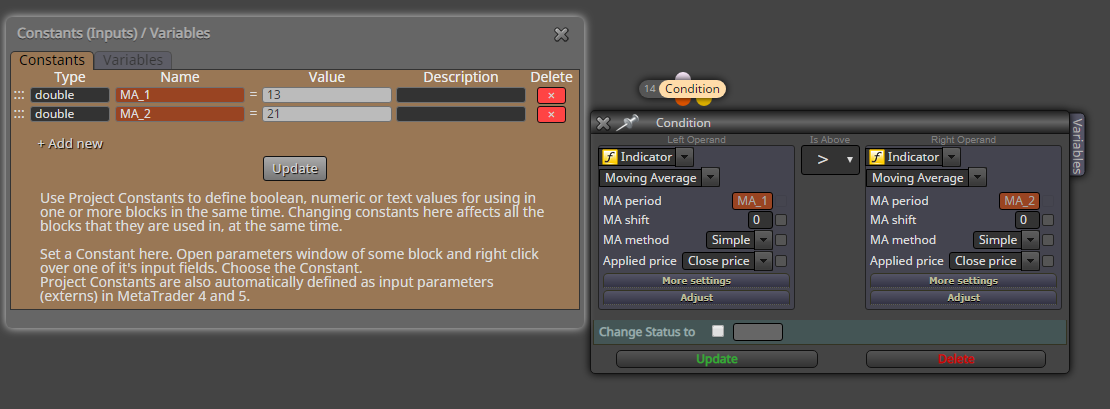
Make a constant and use that in all blocks:
Hi @trader-philipps!
Here's how I would approach this. It might still have some bug, I'm too lazy to properly test anything.
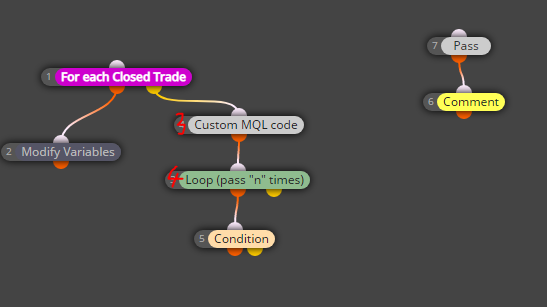
Blocks:
When the process makes an iteration, decrease iter_ID by 1.
Hope this helps.
https://fxdreema.com/shared/JOQCkRG3e
If you import the .mq4, you get the correct variables as well.
0_1567877553885_check past.mq4
I have no idea how those trade buckets work. Maybe trading costs makes the difference.
I would just use a variable and a loop to calculate any information. It's easier to troubleshoot:
https://fxdreema.com/shared/eOts10xOc
Hey @fxdreema, could you please shed some light on the library compability? Being able to use the statistical library would be equivalent to anabolic steroids for my projects