Hi @marianomartinez!
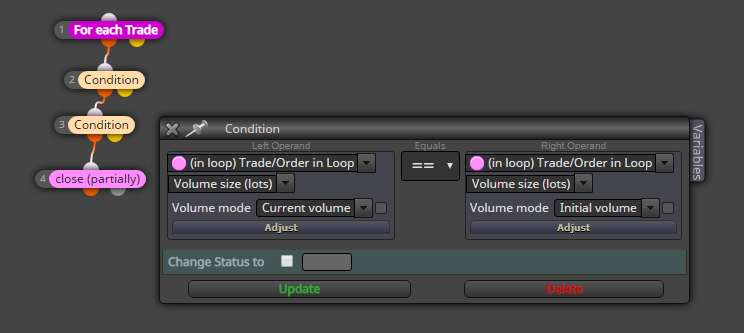
You can find more loop functions in the standard condition block. Specifically, you can make condition "current volume equals initial volume". Hope it works 
https://fxdreema.com/shared/v86Sbv8nb

Hi @marianomartinez!
You can find more loop functions in the standard condition block. Specifically, you can make condition "current volume equals initial volume". Hope it works
https://fxdreema.com/shared/v86Sbv8nb
@ken-0 It takes time, because the EA updates on every tick (see the "on Tick" tab on top). If next tick happens 4 seconds later, your trade opens 4 seconds later.
If you absolutely need faster execution (even if market is still), use the "on Timer" tab and modify the refresh time from project settings.
@cpxiom said in Is there a way to run EA with computer off?:
@miro1360 and anyone... Hello, just a quick question... Why multiple instances of Mt4?
Maybe silly question
I ask this as best practice. How many EAs on one Mt4, if one per chart/pair.
Thank you.
I guess it's for testing and documentation purposes. If an account has multiple different strategies running simultaneously, it's sometimes hard to tell which strategy yields the actual profits.
EAs interfering with each other's algorithms is whole another matter.
@cpxiom The interfering would happen, for example, if EA1 checks some open trade's features and make some decisions based on that. But actually that open trade was made by EA2, which doesn't follow the same rules. This problem can be avoided with group numbers and such, but there is always a possibility for error in some part of code.
I saw that a good approach would be to have many EA's to even out the equity curve, with not so perfect EA's, but good.
Well that's basically the modern portfolio theory 
To make it work, different EAs' returns should have negative covariance, so that the bots don't just amplify each other's ups and downs
How do you troubleshoot this? A method:
@ggtrader Hi!
https://fxdreema.com/shared/FE3VNtfH
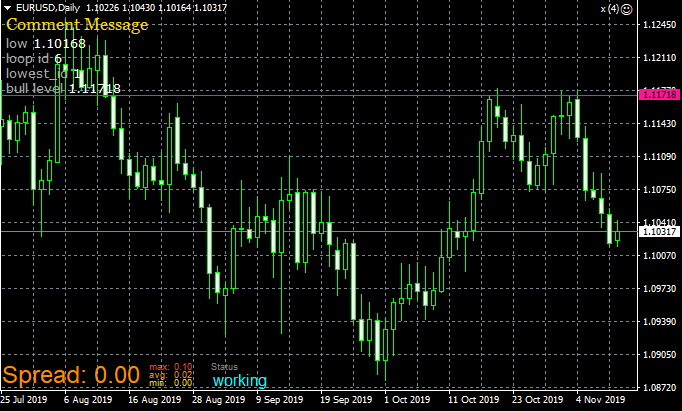
^This animal uses two loops, first finds the low and second finds the prior high.
Download the .mq4 and then import it to your builder to get the constants and variables set up.
You could just calculate the average entry price:
https://fxdreema.com/shared/ij7Qn3Mfd
When you have the average, just add the extra pips
Sounds like a cooking recipe lol

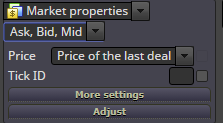
@specialfx I think the "price of the last deal" is actually not what you want. It doesn't refer to your trades, but instead all of the market. Actually it doesn't seem to work at all, at least on demo account - the value is always 0.
It doesn't open buys, because 0 is never above MA.
It does open sells, because 0 is always below MA.
@zackry You can loop through n number of candles with this simple logic:
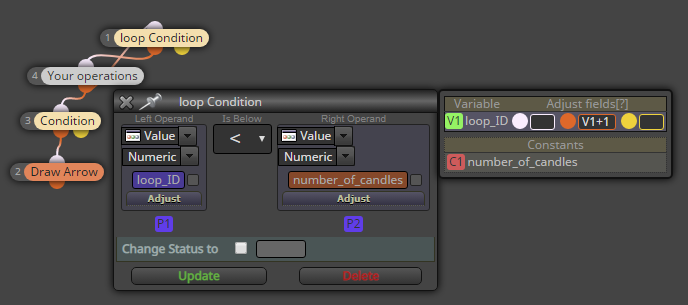
Now you can put the "loop_ID" as the "candle ID" setting in blocks 4 and below
@zackry It's mt4. My first example has a mistake, though: block id 1 is smaller than block id 3, so block 4 always passes on to block 1, and block 3 never gets activated. Fixed that in the latter example.
@jzfusion Export your project to .mq4 (.mq5) and try to compile it in metaeditor. It will show you the exact line of the broken code. Go to that line and scroll up a bit, and you will see the corresponding block ID. It may be of help
@paragorundu Hi!
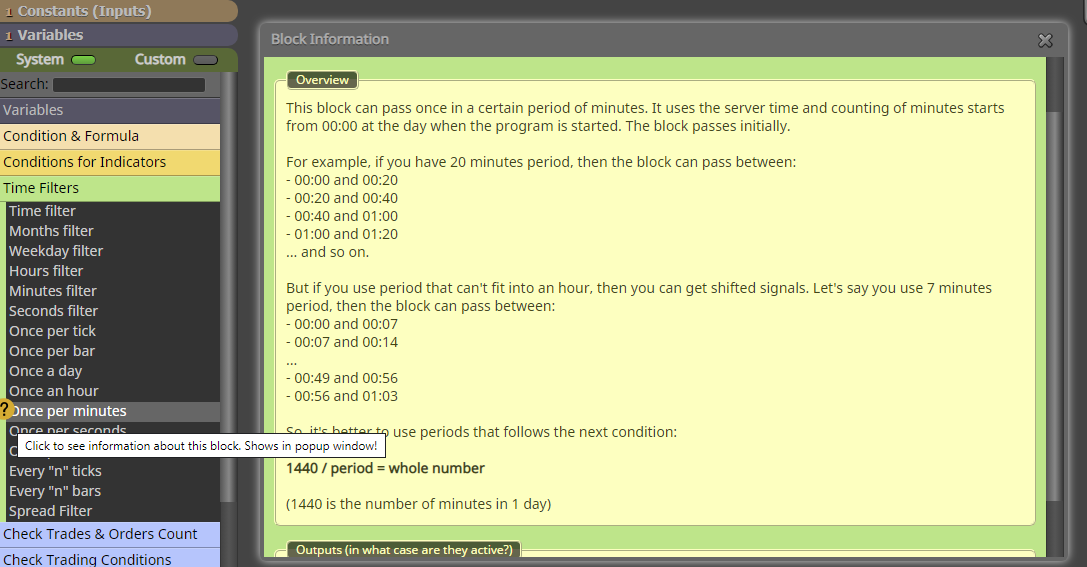
Personally I use the "once per bar" with a suitable timeframe setting, always works with no errors...
"Once per minutes" bases its calculations on 60-minute intervals, maybe that (somehow) causes your issue.
Check the info button on the "once per minutes" block:
@shovel52 Here's your problem:
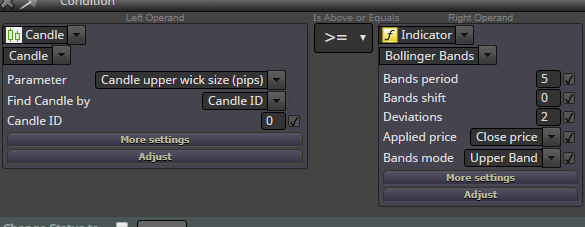
You are comparing pips to price.
@shovel52 said in Bollinger bands:
Why is it usually "condition true" ?
Check my example - the condition is true, because 15 is more than 1.1070.
There is no glitch, the program just does what you tell it to do
@l-andorrà When I think about it, actually it doesn't get that much more complicated.
You just need to do the final correction with a pair EURxxx, where xxx is the base currency of your chart.
Example: when trading GBPJPY, sl formula is now:
SL (price fraction) = risked money / (lotsize*100000) * iClose(EURJPY,0,0)
https://fxdreema.com/shared/mmBhaLp9
Check this example project, it's mql5 though
@khalids222 I have used the "No trade" block for 5 years now and 100% of the time it has worked just as expected.
Why do you think it causes a problem?
@rafaels919 Hi!
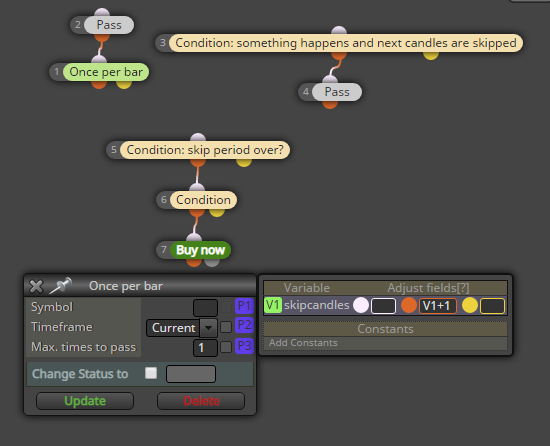
Working with hours and minutes is always a pain, better avoid them altogether.
https://fxdreema.com/shared/mQ7gUp3me
@luisjunior1224 Well, you should always trade only the volatile period (fast above slow), no matter if there is a trend or not.
Fast below slow means that the price doesn't move at all -> your profits are small but spread+commission stays the same. Not wise to trade that.