@luisjunior1224 Too lazy to make another tutorial, lol. There is a tutorial section on the Fxdreema website. You can also use the search function on the forum.

@luisjunior1224 Too lazy to make another tutorial, lol. There is a tutorial section on the Fxdreema website. You can also use the search function on the forum.
Oh, and you could also just modify this number, lol:
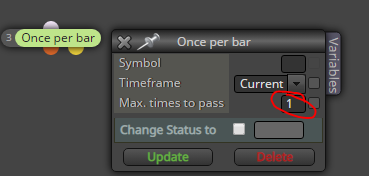
Just make sure the block is right before "buy/sell now", after all conditions
All projects will stay in your builder. However, you can't download if it has more than 10 connections.
@rafaels919 Ah, I see.
There's no simple fix, as far as I know. You could use a bunch of variables and custom coding to make your own betting system, which would be more flexible addressing different kind of closing methods (using the OnTrade tab, for instance).
However, I think that is too much hassle for zero benefit. I'd recommend staying away from betting systems, they don't really improve any trading strategy.
Its like polishing shit, you will never get gold no matter how hard you try 
The EA will not execute single blocks, so a pass is necessary 
@svenw8
Create a parallel copy of your confirmation block, and set the candle ID to 2 (when the first confirmation uses ID 1)
https://fxdreema.com/shared/XcD5FgRdc
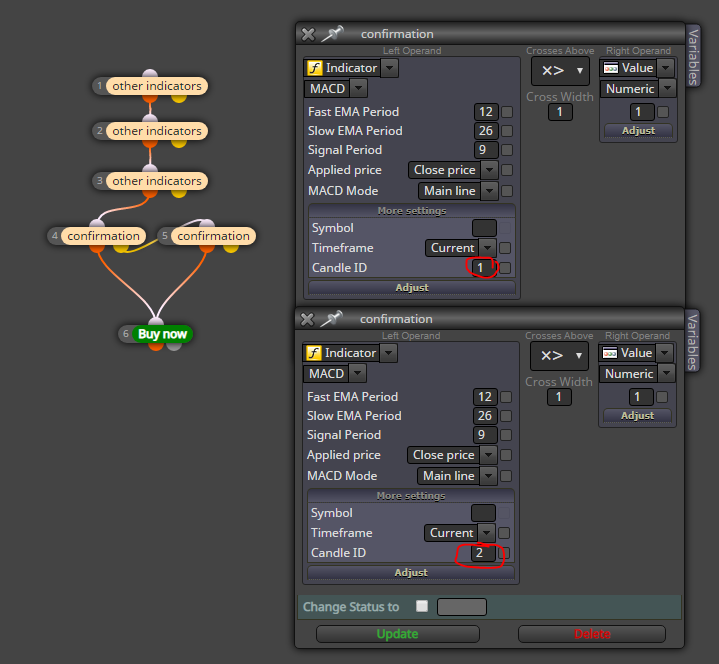
@slickkon This should do the trick...
https://fxdreema.com/shared/sW0GMLNKd
Note the extra blocks in OnTrade tab
@ajr
https://fxdreema.com/forum/topic/6803/saving-lot-size-in-variable
This topic should get you started, read it through
@rafaels919 Hi!
I cannot offer a beatiful one-block solution, but putting the sequence into an array is one solution - check my example: https://fxdreema.com/shared/YYdcM1Wbb
The array determines the sequence number with a variable loses, which tracks consecutive loses (and you can modify the variable directly as well)
Also, as I mentioned before - I need to be able to freely utilize the "shiftback", using conditions and what not. Could this be possible with your configuration?
https://fxdreema.com/shared/hjSUXN3Zb
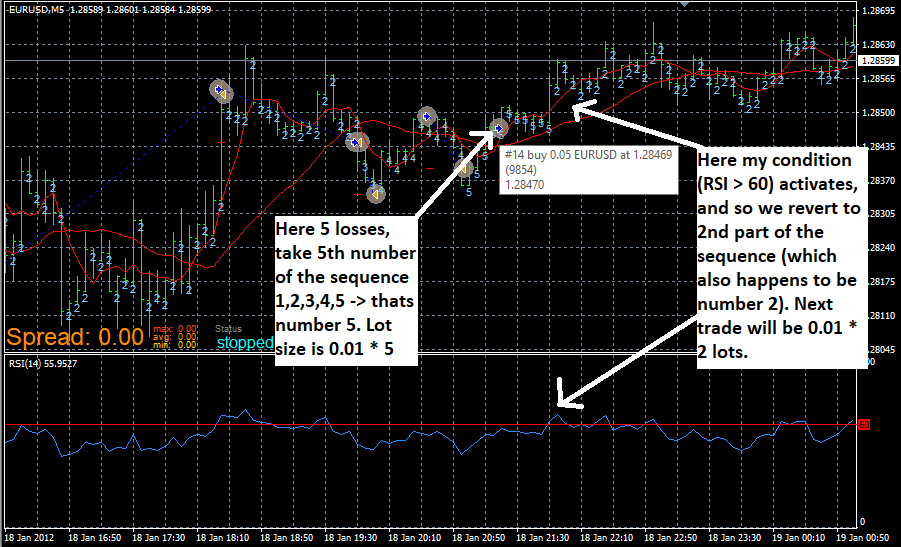
Here I continue my example, with an arbitrary condition: when RSI crosses above 60, modify loses to 2.
The sequence is the default "1,2,3,4,5,6".
I also added a text under each candle to keep track of the active sequence value.
Here's how it behaves:
@trader-philipps That's the way. You don't even have to make a new project, it is created automatically when you import.
So,
ta-dah, now you can import your project1.1 anytime you want to go back.
@rafaels919 I fixed the bugs you found, check this one:
https://fxdreema.com/shared/J3efZjb2e
For example:
We have the "loses" variable changed to "2" by "modify variables" block when RSI crosses 60 (just as in your example)
If we are on 5th value - we don't revert back to the 2nd value - instead -> we shift back two values (so we would be on the 3rd value instead of 2nd value) -> so it doesn't REVERT to two when the condition triggers but SHIFTS BACK two values.
To shift back in value, just modify loses = loses - 2.
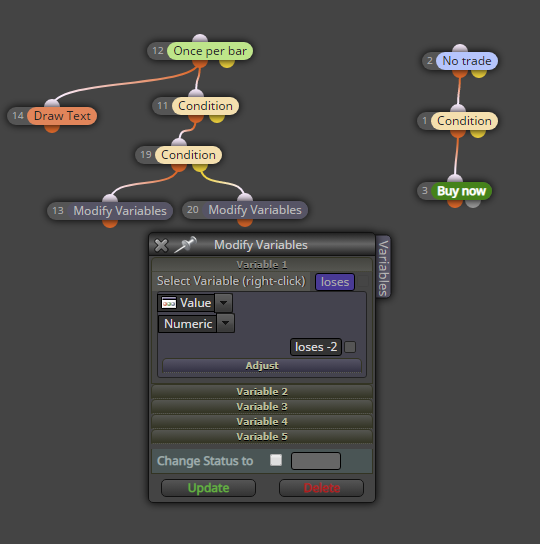
Here's your example:
https://fxdreema.com/shared/CB4cAPh9c
@rafaels919 said in Help needed in modifying values in a sequence:
Alright, so I've replaced the indicator and adjusted the condition for the shiftback (so it triggers starting from 2nd loss) and this seems to work now
Great, this makes sense - here the loses variable can drop to 0 but not below.
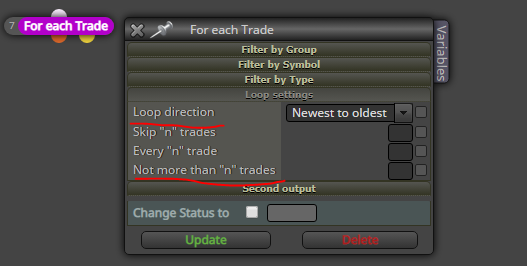
@ambrogio Use "for each trade" loop, and just modify the looping direction and "not more than n" setting.
@turelforex no, I'm sorry but youre out of luck. You can only use mt4 visual tester and rebuild the whole system...
@bogdaiki ^^ that's right, my bad!
@turelforex It seems to be a design by mister stroker:
@stroker said in Every "n"bars issue.:
https://fxdreema.com/shared/KQXDpp3ad
Wow! It works!
Thanks again!