Id also suggest just zooming out when you need to move something.
CTRL + Mousewheel

Id also suggest just zooming out when you need to move something.
CTRL + Mousewheel
i found recently that mt5 buttons work without fucking with anything...
Id make sure you have the 2 purple(blue?) variables listed.
ObjectSet & LoadedObjectName
Both will have a default value of 0.
if he converted it, he is probably new, and just copied all the blocks from another project...and disregarded the need to just save and edit. i.e. he didn't transfer over the variables and constants?
just a guess.
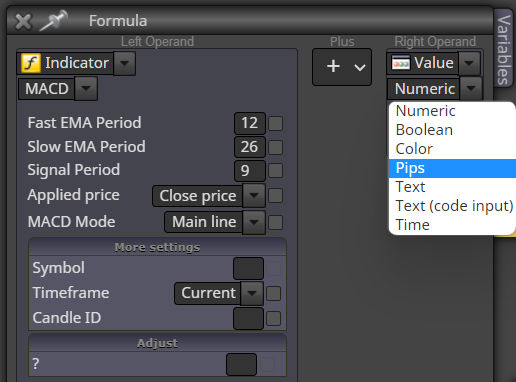
@vighnesh said in Hey please help me out i want to build and EA Based on MACD indicator.Buy when it turns green, Sell when it turns red. close trade if it's -10pips:
bruh, did you snap this picture with the same camera people claim to have spotted the lochness monster?
@fxbam said in When will there be a comprehensive book about fxDreema?:
I'm new to this and trying to figure this out, but the lack of information is preventing me from finishing anything. I managed to complete a project...kind of. I'm trying to understand Constants and Variables. I've tried adding them into my project but the only thing they cause are errors. Once I remove them everything is fine. Error-free and loaded into mt4, but it looks like a complete mess with the options I have, and honestly I don't even know if they work. It would be nice to see detailed information on specific information from this website. It would be nice to see someone take on the task of writing "fxDreema for Dummies." Trying to construct something is difficult when there are so many unknowns. I really enjoy the website. Now, all I want to do is build some of these great ideas I have without getting stuck in the mud every time I try to move forward. Maybe by the end of the month, I'll be looking at this much differently.
send me a PM, ill get you the link for one of the guys in the group who is doing a YT series.
@fxbam said in First success using Mt4 tester on EA...but:
I think I've completed an EA that I plan to test on a live demo account tomorrow. I was actually able to run it through the strategy tester and it actually worked. The results were fairly close to what I've manually traded on another pair. The pair I tested was EURUSD, but the tester won't work on any other pair. Has anyone else had this kind of problem before?
I've also noticed from watching other videos that the report, graph, and chart are missing on my tester. It would be nice to have it, but I'll settle for just the result if that's all I can get. I'll try to see if anyone can answer this last part in MQL5 community.
Not quite sure what that problem would be.
What does the journal say when you try to run it on other symbols?
Is it manually defined within the coding, to trade on EURUSD?
Paste your settings screenshot here, from MT software. The settings screen of your EA test. tp see the symbol, date, modelling, deposit, etc.
@william-1 said in Macd trailing stop principles:
Then i need to find the lowest value of MACD and the calculate. But there is no option to find lowest value
How is that?
lowest value is always changing, how will it calculate if it forms a low, and then another low, and another...
its working as built, its buying every candle as instructed.
Im not sure the point of your formula side, but turn that off and see if that helps you identify the problem.
@legendarymike said in Times:
gotcha I will give that a shot. I am really new to this and just want a simple scalping bot that hits 10-20 pips lol so I am trying to come up with my own instead of buying one
Some things with backtesting time EA's aren't right...and I dont think it was timers. I personally have never used timers to achieve things so I can't say for sure if it will even work. but maybe it was timers....can't be sure. If it still doesn't work theres always another way around it.
@legendarymike said in Times:
@tipsywisdom Okay I think im understanding a bit better, so when under 200, and the rsi crosses below 20 I want it to sell, but I want 1 trade per every 20 mins. so should I put it ( on time) instead of on tick?
On tick isnt wrong, but I don't think thats still going to achieve what you are seeking.
If you want to limit trades to 180 minutes, just do your current bar to 180 minutes and then you have nothing else to consider. Or perhaps do the time at the top of the structure. In that configuration it starts with: every 180 minutes, if no trade, search conditions, etc etc.
@tipsywisdom said in Times:
@legendarymike said in Times:
@tipsywisdom So what happens with this ea, is it will open a trade when conditions are met, but since my tp is only 20 it will open another trade and that can cause that second trade to lose so instead I only want 1 trade open every 180 mins or so
Thats a bit confusing, I'll explain it as I see it and what you're trying to say.
I'm still not sure if that is what's supposed to happen or if you are explaining what is actually happening.
Currently the EA is configured to:
Every single tick....
No trade, check conditions,
If current candle is below 200 ma, and RSI cross below 20, every 20 minutes you want to sell.Now, remembering we are building OnTick. if you tell it to do something every 20 minutes, every tick.....
That would be the same thing as setting the current bar to 20 minutes and removing that once per minutes block, if my thinking is right.
@legendarymike said in Times:
@tipsywisdom So what happens with this ea, is it will open a trade when conditions are met, but since my tp is only 20 it will open another trade and that can cause that second trade to lose so instead I only want 1 trade open every 180 mins or so
Thats a bit confusing, I'll explain it as I see it and what you're trying to say.
I'm still not sure if that is what's supposed to happen or if you are explaining what is actually happening.
Currently the EA is configured to:
Every single tick....
No trade, check conditions,
If current candle is below 200 ma, and RSI cross below 20, every 20 minutes you want to sell.
Now, remembering we are building OnTick. if you tell it to do something every 20 minutes, every tick.....
By every 180 minutes, what does that mean logically?
You can only open a trade every 180? You want to open a trade every 180?
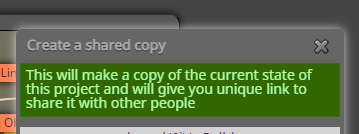
after you get this, click on it.
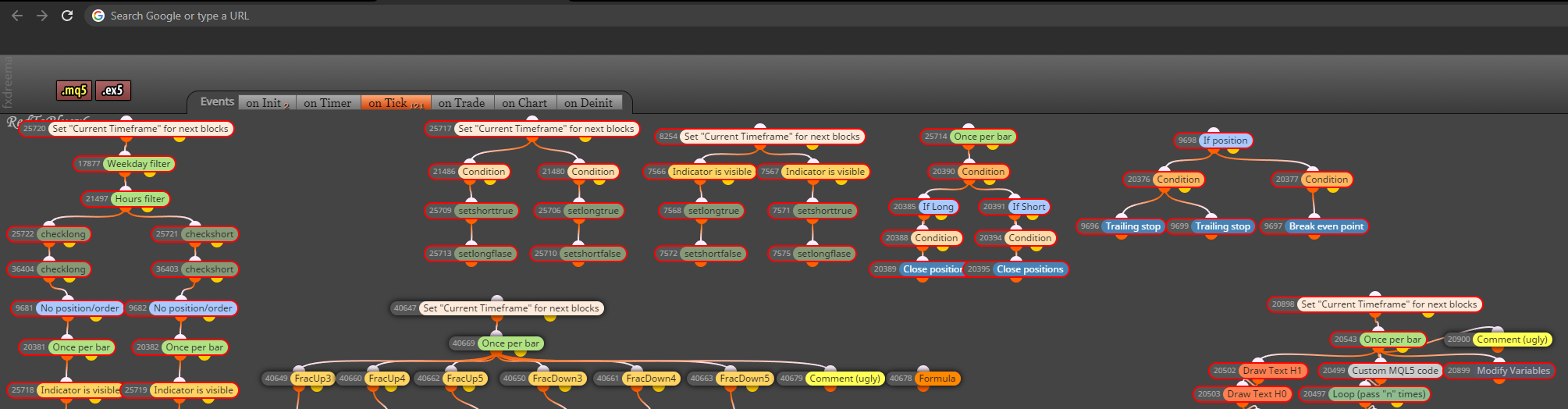
then youll get this and copy and paste the weblink from the top. I've removed mine cause I dont want anyone linking to my project. We don't need the "shared..."
it should start with https://
@khalids222 said in There is an error in the lot.:
@tipsywisdom Ok thank you, problem is solved, I didn't notice - it was a mistake
Now it's working fine
No problems! Common mistakes we've all made at one point.
@pcepeda said in Need help perfecting/brainstorming an EA:
Hello everyone,
I've created a decent EA thanks to the help of FXdreema. After getting some good backtesting tick data and still getting pretty good results I feel like it may be useful to brainstorm with a person that knows more about EA's or fxdreema to help work through the last few kinks in the EA or maybe find more productive ways to get results. I am willing to pay the right person for their time as I know nothing is free.
I hope this makes sense and there is someone out there that is interested!
Thank you!
in my discord we are not shy to talking about strategy, and telling someone if an idea is good...or not at all...and its free.
Unless you want to talk here, lets do it.
@legendarymike said in Times:
so maybe I am missing something, I want the EA to trade once every 180 mins or whatever I edit the timing too I tried switching times to 20 mins etc....., But it is still entering trades within the timeframe that I dont want it entering. here is the link and hopefully what I am saying make sense.
shared/waJkWOizc
can you fix the link? im lazy.