Sorry for the delay, @pontedruse I have tested what you have told me and it gives me the profit of the current PAR, so that it gives me the total Profit of all open operations of all pairs. How should it be?

Sorry for the delay, @pontedruse I have tested what you have told me and it gives me the profit of the current PAR, so that it gives me the total Profit of all open operations of all pairs. How should it be?
Hello @william-3 ! I have been looking at the indicator, YOUR INDICATOR IS NOT NECESSARY, the standard ichimoku of fxDreema is identical and will give you less problems, you can change it; If your problem in the indicator is that you put a lot of graph and you only want to see the Kijum-sen, go to the properties of the ichimoku and set the color "none" to everything except the Kijum-sen and it will be the same.
Hello @jstap! I have been looking at your keypad and I have found 2 points that make me doubt, the first (Look at some of my keypads, it is a tip) where do you activate the buttons? I don't see it, and where they are, they are under everything they should do, instead of the opposite.
And the second, in one of your branches you identify the button and after it has executed everything you tell it to take one color or another, is that so? that way (I'm still wrong) you have a conflict or so I think.
Hello @william-3! First of all, have you verified your indicator that the buffer is correct? Here we have a problem to help you, because although AND tells you that it may be corrupt, in my opinion it is not corruption but your indicator, since it is not standard but one of yours, if you do not pass your indicator we will not be able to help you because we will not know how it works, This indicator cannot be substituted for the original Ichimoku? On the other hand, I'm seeing that you use the ID1 candle but if I don't remember wrongly, the Kijum is displaced 26 candles, so possibly if the 26 candle does not coincide with the Kijum in real time, I doubt that it will execute anything. Have you taken it into account? Ah! You are telling fxDreema that the cross is made in the candle before the opening and after you have placed the closing order in "on trade" it should go in "on Tick" and it is duplicated or you have made a mistake since both have the close with "x>" when they should be "x>" and "x <" or if it is the same, delete a complete branch and in the closing block close SELL and BUY
All the best
Hello good! I need help, I want that once the operation will be opened by pressing the corresponding button with this button, I draw 3 horizontal lines at a specific distance from the opening point, I have created variables and constants to specify the value but it does not draw the lines Where do I have the error?
Thanks a lot.
@l-andorrà Si, pero no funciono.
Can someone help me with the color change of the buttons, this is the current link:
Hi @banditdos, @ ajmd97fx! I have already solved the problem of the SELL and BUY columns, I was missing these two blocks in the "on Deinit" tab:
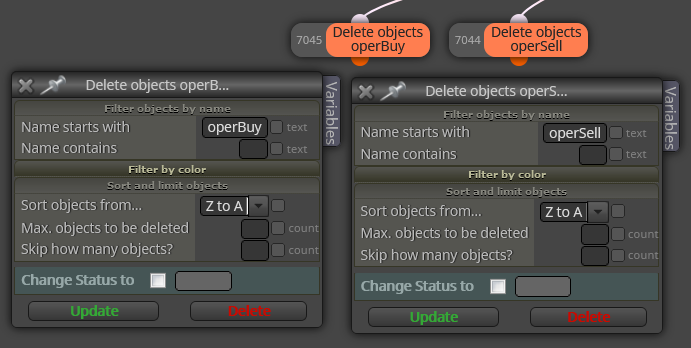
Now I just need to be able to solve the color of the buttons of the active pair, here I have already had several tests and I am not able, Please help.
Hola @ajmd97fx ! Si he entendido bien tu forma de aplicar los bloques de la EA deberia de quedar asi :
https://fxdreema.com/shared/fa9pMHY7c
el problema es que no me funciona, lo que hace es:
1º Al apretar el boton de un par momentaneamente se desplazan una posicion hacia abajo y en negro.
2º Se vuelven a poner como al inicio.
Otro problema que he detectado y esta desde un inicio en mi EA opriginal y naturalmente con la modificacion tambien, es que cuando borro la EA se me quedan las columnas blancas de la izquierda, las que me marcan si la operacion es en SELL o BUY y cantidad de operaciones en cada par.
¿Donde tengo los errores?.
Muchas gracias.
@ajmd97fx Buenos dias @ajmd97fx ! Hace tiempo que no sabia nada de ti, ;-). Muchas gracias , voy ha probarlo.
@banditdos No problems, enjoy it. If there is something you want to modify and you don't know how to do it, ask me! and if I can help you. 
Buenas tardes. I need help, I have a panel where a list of buttons serve as a menu to change the pair of currencies, currently it works perfectly for me but I do not easily see which pair is active, my idea is when the active pair is the one of the selected button has a color and the rest of a different color, for example: Yellow for all buttons and green for the button of the active currency pair. How can I change the color and how can I know which currency pair is the asset, with which block or blocks I can do it? Thank you very much in advance.
@pontedruse Thank you very much @pontedruse! By the way, do you speak Spanish?
@pontedruse But this block that you compares benefits or losses, and what I need is for you to give the current benefits or losses without comparison and send them to a variable, so that this variable in a fixed button continuously visualizes how the total benefit of all is going operations and if possible only from the active PAR window.
@l-andorrà Hello @l-andorrà! Not exactly, this is a keypad made up of two fixed buttons, one has the header or denomination (Profit  and the other displays the formula data, the formula gives you the total current total profits or losses of the Open operations, initially I only needed it from the active PAR but I was informed that this was not possible, with what in principle is the total of current Profits or losses (in open operations).
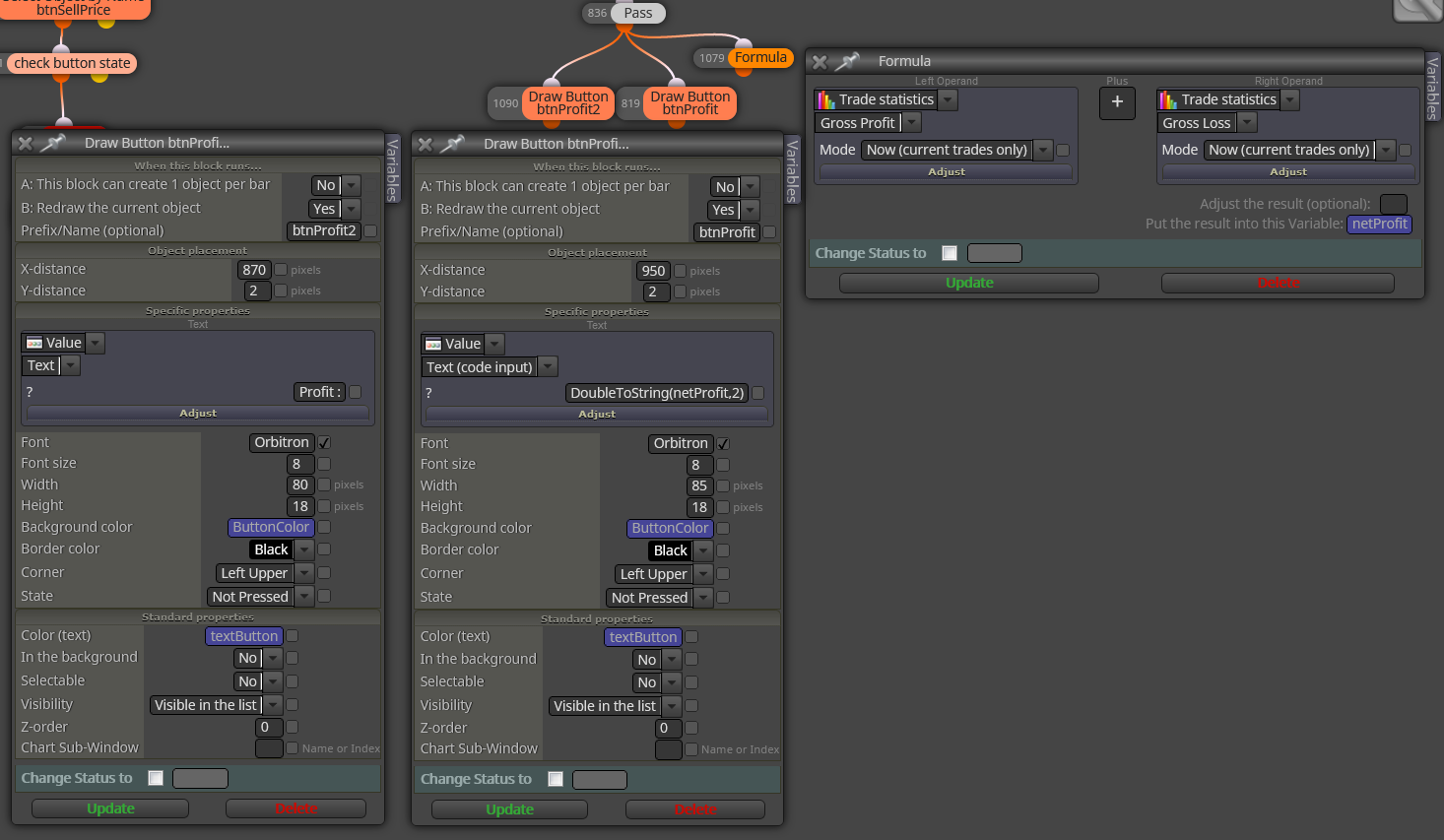
Como ves se visualizan tres variables, las de los botones solo cambian en color segun el Profit, rojo en perdidas, verde ganancias y gris cuando es "0" cero, y la variable netProfit es la que va obteniendo los valores de los beneficios o perdidas actuales. Si existe algun otro modo para obtener el Profit que no sea con ese BLOQUE perfecto, mucho mejor pero que este en MT5 y MT4.
@fxDreema Good morning, what's wrong with fxDreema? It does not work, the test is here, after many fiascos with EA that gave me incomprehensible errors either in MT5 or MT4 to verify if it was me or fxDreema, perform an EA exactly as in the instructions:
https://fxdreema.com/howto#Simple-Programs
https://fxdreema.com/demo/mt4-buy-sell-buy-sell-opposite-conditions
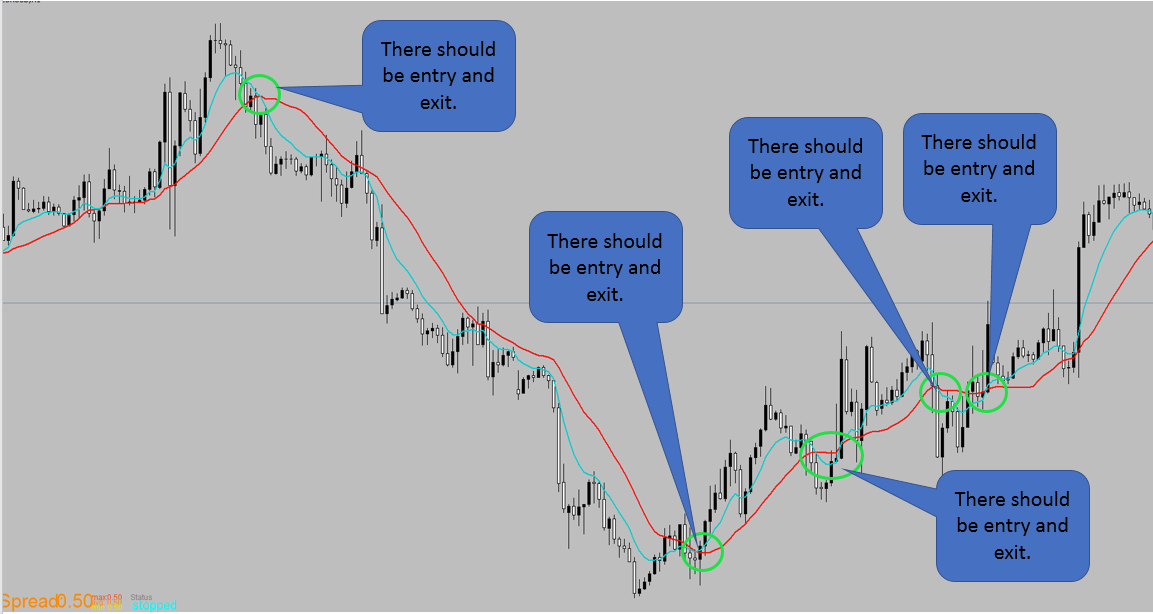
Perform an identical EA but only with the Moving Average data changed and these are the results in the Backtest (I have tested it with several Brockers and in all of them it is the same, 1 trade in 5 years without closing). WHAT HAPPENS fxDREEMA, WHEN WILL YOU DEIGN TO UPDATE AND SOLVE PROBLEMS?
Backtest and EA link:
@zaher-ahmad Hola @zaher-ahmad !
In this post you have the solution.
https://fxdreema.com/forum/topic/10564/como-seleccionar-pares-fijos-how-to-select-fixed-pairs-solved
@l-andorrà Hello @l-andorrà! It is the same problem that I reported in a post of mine, it depends on the day fxDreema does not allow you to upload images, EA link, Files, etc. As we say in Spain "Se le va la olla" and the window appears in the lower right corner in red with "Error, you do not have enough privileges" I have a payment account for up to 6 months at the moment, I have more than 3 hearts ( someone said that was it) and today I have not been able to upload images or files to respond to a post of mine, that is, the @fxDreema should look at these errors and ignore less, people start to get pissed off and not update. Another problem that you just answered me yourself is that between MT5 and MT4 there are big differences with the fxDreema blocks and many blocks do not have equivalents, another very serious error of @fxDreema in my opinion.
@l-andorrà Y no hay un equivalente aunque sea con varios bloques?
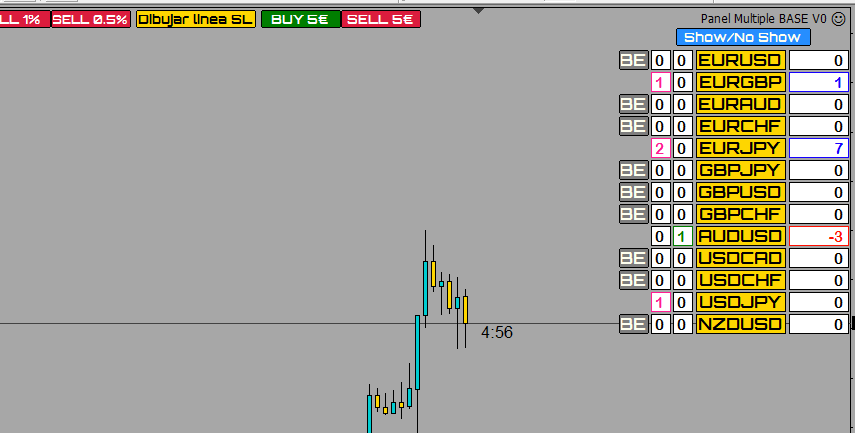
@miro1360 Hi @miro1360! Sorry, I need help, in the panel where you have been helping me I want the list or column of Breackeven buttons "BE" when the pair has a positive operation with 5 or more pips, the button "BE" which is gray change to green, the sequence I have made is the one in the photo but I find the problem that I think that when there is a positive operation with 5 or more pips instead of changing the color, the icon disappears. Can you help me Where do I have the error? I attach a photo of the blocks, if you need the EA this is the link:
https://fxdreema.com/shared/4QroI22Ed
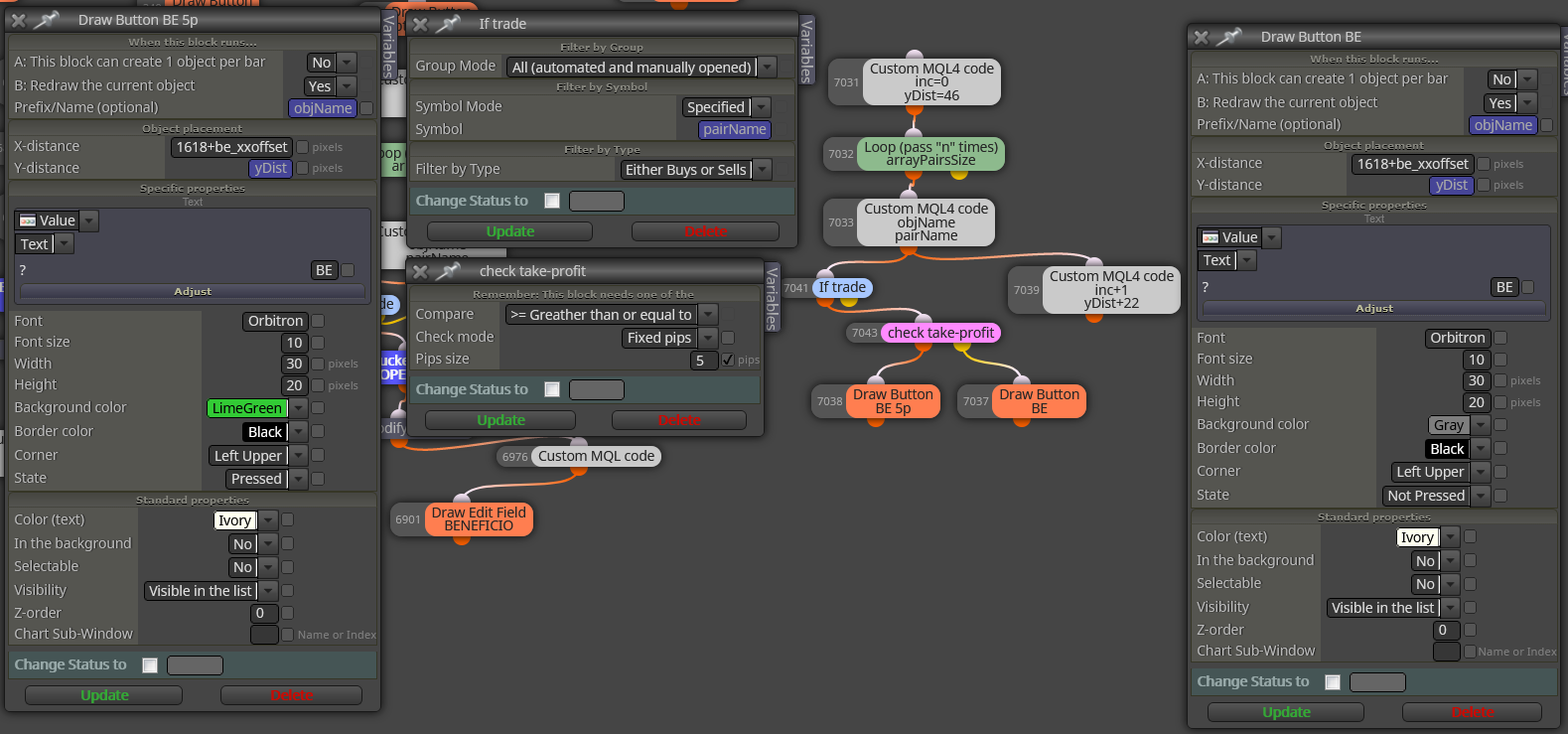
And another problem is that the show / no show button with the BE buttons does not work and I think it is well programmed, can you verify it and help me solve that error?
Thank you very much in advance.