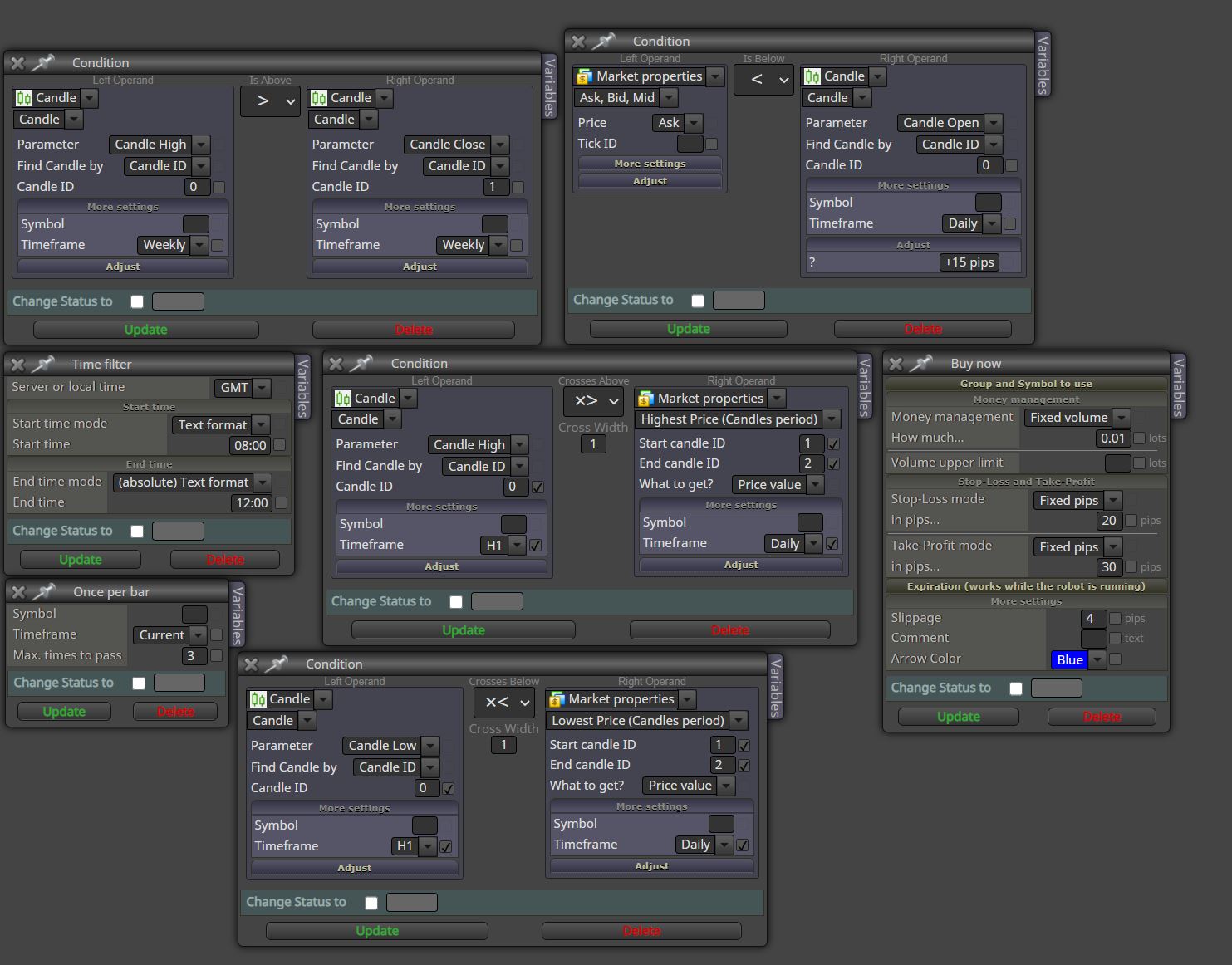
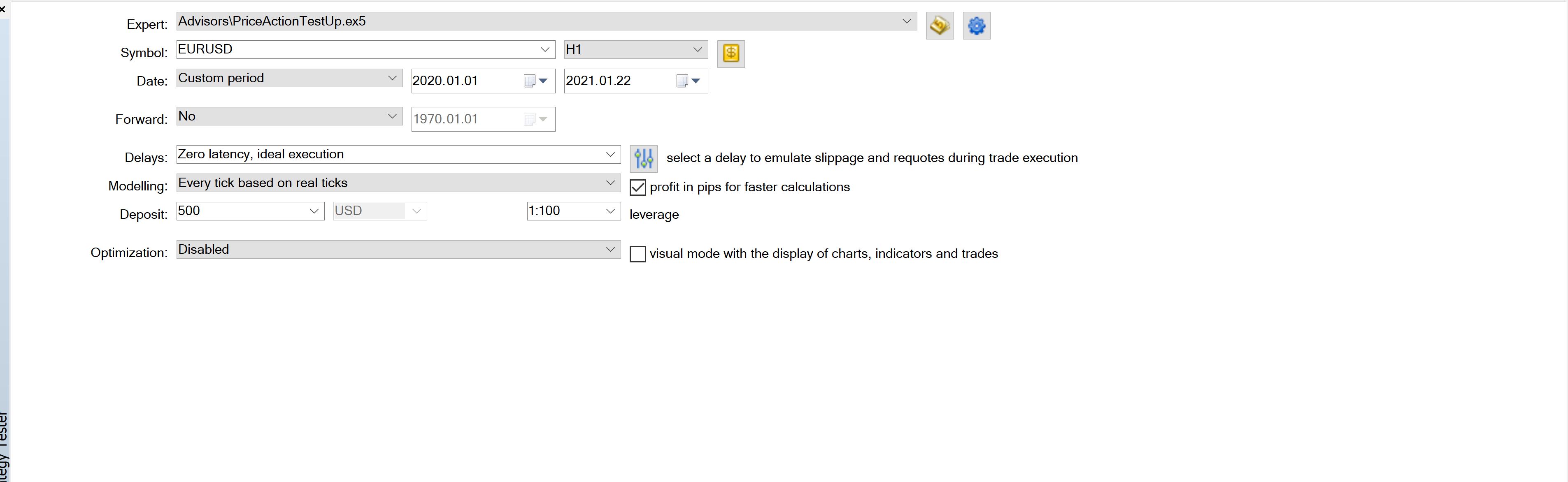
@roar defaults isn't an option in either when I click that gear icon or right click as it looks like you did.

@roar defaults isn't an option in either when I click that gear icon or right click as it looks like you did.
@roar @l-andorrà @fxdreema anyone have any other good insight or something I am overlooking?
sometimes chrome does that to me too, it seems to be more of a connection issue with FX dreema server. It happens more frequently at certain times of the day. I will also start getting connection errors about the same time.
I dont feel inclinced to look at that many trades to find out what the difference is.
Something is larger at play if the same rules are producing different results.
For instance, if I find that my 2nd PC is taking more trades outside of the times its supposed to...the rules in the EA says not to do that. What will I do then? The rules are telling it not to do that already.
ohhhh ok, im mistaken on how that password is implemented then. I will create an EA with it and see how it works!
@miki thank you, that helps a lot.
It just doesn't make any sense....I can see now that the time zone was different, but even after I changed it..its producing the same bad results.
@ambrogio understandable...so why put a password on it then? If you must have the password in order to have the file, why put a password on it at that point.
Sorry, not so much questioning the reasoning...trying to see if I may be able to use that for anything. Its a nice feature to have but I personally can't think of a scenario to use it.
or even load it into Meta Editor.
cant someone just import the EA into FX dreema and find out the password?
please create a replica of the error and share for us to test. People will be more likely to help you if you give them the tools to help them help you.
can verify its not the time zone. Rolled back the intel to match the amd time zone and it still runs different.
@miki i just noticed that one of the computers is in a time zone 2 hours ahead....going to roll it back and see if that changes anything.
I made a very simple EA to test on both PCs, with only 1 setting of an M.A. X. It works exactly the same on both.
I don't see how anything in my EA would produce such different results on 2 computers.
I verified as well that the time frames that I rely on are GMT only. Nothing is using local times so that cant be the issue
ok, even if I look at it in detail that will not tell me anything.
That will not explain how 2 different processors run the same EA and produce different results. They are both running the same rules, on the same time frame, on the same software with the same data.
@miki there is nothing to check. they are exactly the same EA.
I have fxdreema opened on 2 browsers on 2 pc's. I save on one or the other, I refresh the screen on both, resave, verify settings and then rerun on both. I am given 2 differnt results with the same EA.